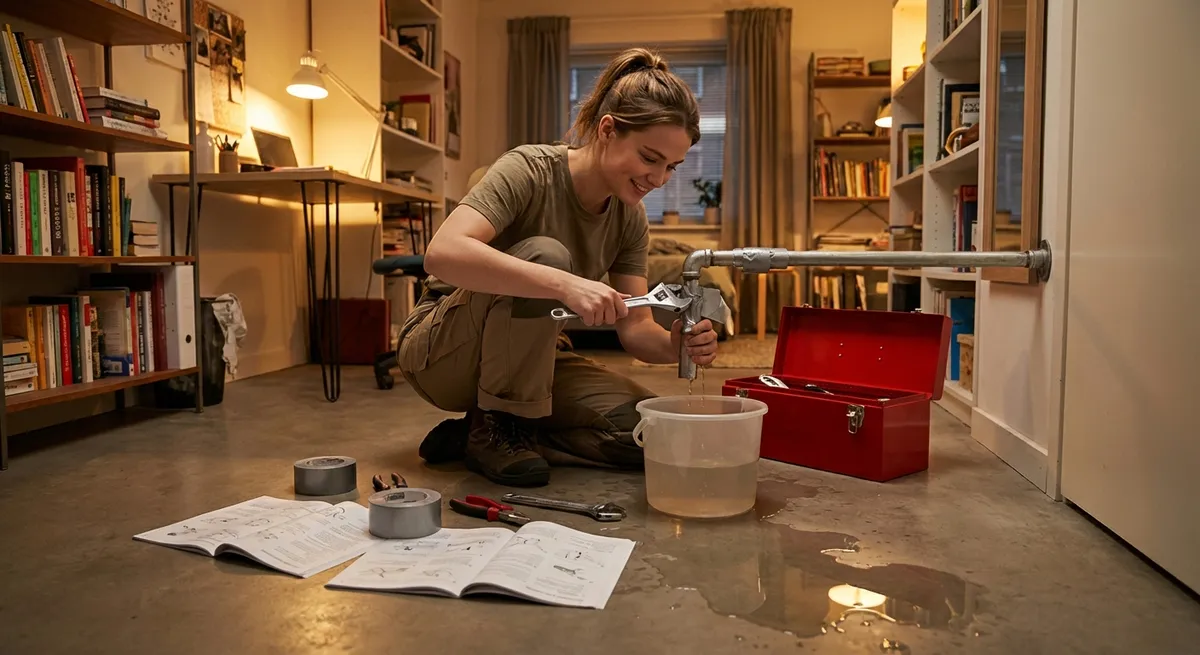
When something breaks, you usually don’t need a full renovation—you just need it working again, fast. This guide walks through five practical, step-by-step quick fixes for problems that disrupt your day: a dead outlet, a slow or crashing Wi‑Fi connection, a running toilet, a wobbly chair or table, and a door that suddenly sticks. Each solution is designed to be safe, fast, and realistic for non‑experts, so you can stabilize the issue now and decide later whether you want a permanent upgrade.
1. When a Wall Outlet Suddenly Stops Working
A dead outlet can feel like a minor emergency, especially if it powers a fridge, router, or work setup. Before you call an electrician, walk through this safe, structured checklist to restore power or at least isolate the problem.
Step-by-step quick fix
Unplug everything from the outlet
Remove all devices and power strips. This protects your gear if there’s a surge or short, and helps you test the outlet itself.
Check other outlets and lights in the same room
- If multiple outlets/lights are dead, you may have a tripped breaker. - If only one outlet is dead, continue below.
Look for a GFCI outlet and reset it
- Kitchens, bathrooms, garages, basements, and outdoor circuits often have a GFCI outlet (the kind with TEST and RESET buttons). - Find the nearest GFCI in that area and press RESET firmly once. - Test your dead outlet again with a simple lamp or phone charger.
Reset the circuit breaker safely
- Go to your electrical panel. - Look for a breaker that is in the middle position or slightly off from the others. - Flip it all the way OFF, then back ON once. - Retest the outlet with a low‑power device.
Test the outlet with a different device
- Use a known‑working phone charger or lamp. - If it works here but not in the original outlet, the outlet or wiring may be faulty.
Stop and call a pro if you see or smell anything odd
If you notice: - Burning or melting smell - Warm or hot outlet cover - Visible scorch marks, crackling, or buzzing Do not keep testing. Turn off the breaker for that circuit if you can identify it and contact a licensed electrician.
Stabilize the situation
Until a professional checks it:
- Avoid using that outlet (label it with tape if necessary).
- If a key device (like a fridge) was on it, temporarily move it to a different known‑good outlet using a heavy‑duty extension cord rated for the load.
2. When Your Wi‑Fi Is Crawling or Keeps Dropping
A lagging connection can stall work, streaming, and smart devices. Many issues come from simple congestion, placement, or temporary router glitches—not your internet provider.
Step-by-step quick fix
Quick reset in the right order
- Power off your modem (the box from your provider). - Power off your router (if it’s separate). - Wait 30–60 seconds. - Turn modem on first, wait until all lights stabilize. - Then turn router on, wait a couple of minutes. - Test again.
Move closer to the router with one device
- Bring a phone or laptop into the same room as the router. - If it works well nearby but not far away, your issue is signal strength, not your internet line.
- Check for silent “band crowding” (2.4 vs 5 GHz)
- On your phone, look at the Wi‑Fi name: many routers broadcast two networks, often ending in “2.4G” and “5G” or “5GHz.”
- For speed and short range, use 5 GHz. For range through walls, use 2.4 GHz.
- Switch to the other band and see if performance improves.
Reduce interference around the router
- Move your router to a higher, open position (not behind a TV, not on the floor, not in a closed cabinet). - Keep it away from microwaves, cordless phone bases, baby monitors, and thick metal objects. - Reboot once more after moving, then retest.
Temporarily limit high‑demand devices
- Pause big downloads and 4K streaming on other devices. - Ask housemates to stop cloud backups or gaming updates while you test. If your speed improves, your bandwidth is simply maxed out, and scheduling heavy tasks for off‑peak times can keep things stable.
Bypass Wi‑Fi for the most critical device
- If you need rock‑solid performance right now, connect that device with an Ethernet cable directly to the router (if possible). - This often solves video call or work issues instantly while you plan a longer‑term Wi‑Fi upgrade.
3. When a Toilet Won’t Stop Running
A constantly running toilet wastes water and can raise your bill noticeably. Most of the time, the fix is inside the tank and takes under 10 minutes.
Step-by-step quick fix
Remove the tank lid and set it aside carefully
Place it flat on a towel or soft surface to avoid cracks.
Identify the main parts
Inside the tank you’ll see: - Fill valve (tall tower or column) - Float (ball or cup that rises with water) - Flapper (rubber piece at the bottom, connected by a chain) - Overflow tube (vertical tube in the center)
Do a simple “lift test” on the float
- With the water running, gently lift the float with your hand. - If the water stops running while you hold it up, the water level is set too high.
Lower the water level
- On most modern valves, there’s a screw or sliding clip on the fill valve. - Turn the screw clockwise or slide the clip down to lower the float. - Flush and let the tank refill. The water should stop about 1 inch below the top of the overflow tube.
Check the flapper for leaks
- Push down gently on the flapper after the tank is full. - If the running sound stops while you hold it down, the flapper is likely worn or not sealing. - As a temporary fix, adjust the chain: it should have just a little slack—not too tight, not too loose.
Temporary stabilization if the flapper is bad
- Turn off the water supply valve behind the toilet between uses to stop the constant running. - Turn it on only when you need to flush. - Then replace the flapper with a universal flapper from a hardware store when you get the chance (they’re inexpensive and usually tool‑free).
4. When a Chair or Table Wobbles and Feels Unsafe
A wobbly chair or table isn’t just annoying—it can cause spills, falls, or damage to floors and devices. You don’t always need woodworking skills; a few basic steps will stabilize it for safe use.
Step-by-step quick fix
Move it to a flat, hard surface
- Place the piece on tile, hardwood, or concrete (not carpet). - Sit or press lightly on it and rock it gently to see which leg lifts.
Tighten all accessible screws and bolts
- Flip the furniture carefully upside down or on its side. - Use the correct screwdriver or Allen key to snug—not over‑tighten—every visible screw, especially at joints and corners. - Stand it upright and test again.
Check for missing or uneven leg caps
- Many chairs and tables have plastic or felt caps on the bottom of the legs. - If one is missing or worn down, that leg will be shorter. - As a quick fix, add a self‑adhesive felt pad or stack two on the short leg to match the others.
Use temporary shims for immediate stability
- If you don’t have pads, use a small piece of cardboard, folded paper, or a thin wood shim under the short leg. - Test for wobble, adjust thickness as needed. - Once right, tape it in place underneath as a short‑term solution.
Re‑glue a loose wooden joint (fast fix)
- For wood furniture, if a leg wiggles where it meets the frame, apply wood glue into the joint (a small syringe or thin nozzle helps). - Clamp gently with a strap, rope, or strong tape to hold it in position. - Let it cure according to the glue instructions (often 30 minutes for handling, longer for full strength). - This isn’t a structural rebuild, but it often keeps an older piece usable for much longer.
5. When an Interior Door Suddenly Starts Sticking
A sticking door can be caused by humidity, loose screws, or misaligned hinges. Instead of forcing it and damaging the frame, you can often restore smooth movement with simple adjustments.
Step-by-step quick fix
Identify exactly where it sticks
- Slowly close the door and watch and feel where it rubs: - Top edge hitting the frame? - Side catching near the latch? - Bottom dragging on the floor?
Tighten hinge screws first
- With the door closed, use a screwdriver to seat every hinge screw in both the door and frame. - Focus especially on the top hinge—if it’s loose, the door can sag and drag. - Avoid over‑tightening to the point of stripping the screw.
Lift and test the door while opening/closing
- Gently lift up on the door handle while you open or close it. - If it moves more freely when lifted, your issue is sagging hinges, not a swollen door edge.
Swap in longer screws at the top hinge (fast reinforcement)
- Remove one screw from the top hinge (frame side). - Replace it with a longer wood screw (about 2.5–3 inches) so it bites into the wall stud behind the frame. - This can pull the top of the door slightly toward the frame and lift the handle side, reducing rubbing.
Lightly sand only where it binds (last resort quick fix)
- Mark the exact rub points with a pencil. - Remove the door pins if needed and take the door off the hinges (two people is safer). - Use medium‑grit sandpaper or a sanding block to shave just a small amount off the tight edge. - Test frequently: sand a little, rehang, test again. - Once it opens and closes smoothly, seal any freshly sanded bare wood with paint or clear sealer later to protect it from future swelling.
Conclusion
Quick fixes don’t have to be perfect—they just have to be safe, stable, and good enough to get you through today. By following structured steps for dead outlets, failing Wi‑Fi, running toilets, wobbly furniture, and sticking doors, you can regain control over everyday disruptions without diving into major repairs. Use these tactics to stop the immediate problem, then decide at your pace whether to upgrade, replace, or bring in a pro for a long‑term solution.
Sources
- U.S. Consumer Product Safety Commission – Electrical Safety in the Home - Guidance on safely dealing with home electrical issues and when to call a professional
- U.S. Department of Energy – Home Wi-Fi Network Optimization Tips - Practical advice on router placement and interference reduction
- Environmental Protection Agency – Fixing Leaks That Waste Water - Information on water waste from running toilets and basic leak fixes
- University of Missouri Extension – Home Maintenance and Repair Guides - General home repair best practices, including basic plumbing and structural tips
- Family Handyman – How to Fix a Sticking Door - Step‑by‑step methods for diagnosing and correcting door alignment issues
Key Takeaway
The most important thing to remember from this article is that this information can change how you think about Quick Fixes.



