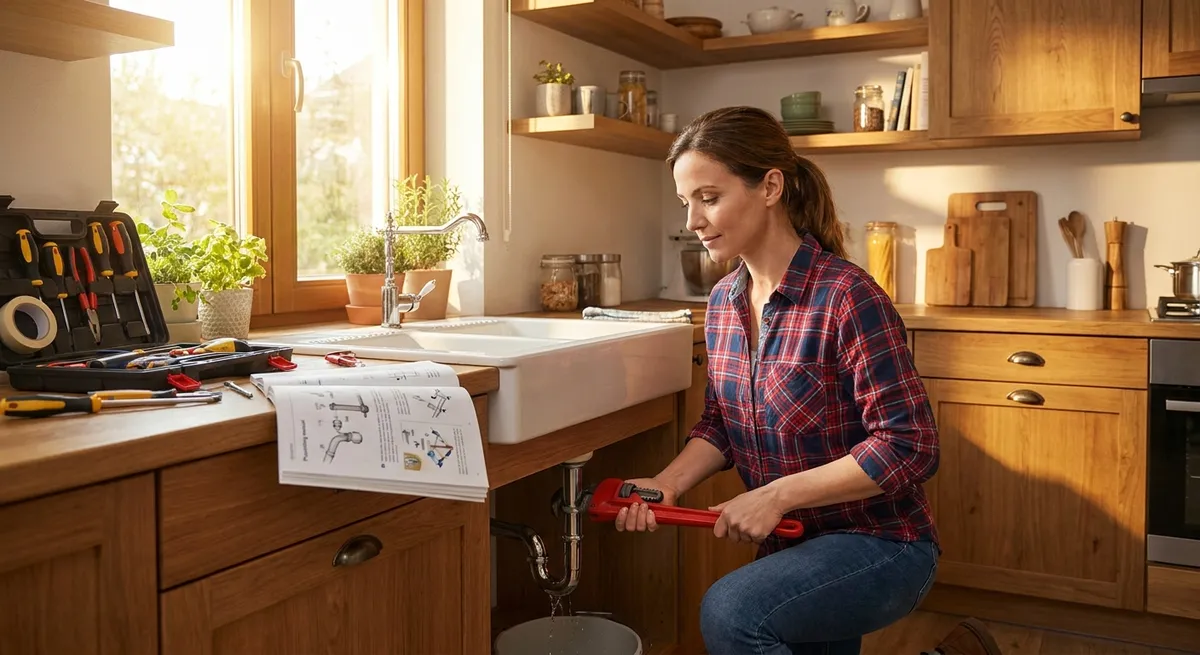
Small problems around the house and with your gear can snowball fast—dripping faucets, wobbly chairs, slow Wi‑Fi, mystery door squeaks, or a phone that just won’t charge. You don’t always need a pro or a full afternoon to fix them. With a few basic tools and a straightforward plan, you can knock out common issues in minutes and get back to your day. This guide walks you through five practical quick fixes with clear, step‑by‑step instructions you can safely follow right now.
1. Stop a Dripping Faucet (Without Replacing the Whole Thing)
A slow drip wastes water, raises your bill, and drives you crazy at night. Most of the time, the cause is a worn‑out washer or cartridge—not a dead faucet.
What you’ll need
- Adjustable wrench or basin wrench
- Flathead and Phillips screwdriver
- Replacement washer or cartridge (match your faucet brand/model)
- Small towel or rag
- Plumber’s grease (optional but helpful)
Step‑by‑step
Shut off the water supply
Look under the sink for two shutoff valves (hot and cold). Turn both clockwise until fully closed. Open the faucet to confirm water is off.
Plug the sink drain
Use a sink stopper or a rag. This keeps screws and small parts from disappearing.
Remove the faucet handle
- Look for a small cap or cover on the handle (sometimes with hot/cold markings). - Pry it off gently with a flathead screwdriver. - Unscrew the handle screw and lift off the handle.
Access the valve or cartridge
- Under the handle you’ll see a nut or decorative collar. - Use your wrench to loosen this nut. - Carefully pull out the stem or cartridge, noting its orientation.
Inspect and replace the worn parts
- For compression faucets: replace the rubber washer and O‑ring on the stem. - For cartridge faucets: replace the entire cartridge with an identical one. - Apply a thin layer of plumber’s grease to O‑rings if available.
Reassemble the faucet
- Reinsert the stem or cartridge in the same orientation. - Tighten the retaining nut (snug, not over‑tight). - Reattach the handle and screw, then snap the decorative cap back on.
Turn water back on and test
Slowly open the shutoff valves under the sink. Turn the faucet on, then off. Check for drips and leaks around the base.
If the faucet still drips, the valve seat inside the faucet body may be damaged. At that point, a new faucet or a pro evaluation might be more efficient.
2. Fix a Wobbly Chair or Table So It Feels Solid Again
Wobbly furniture is annoying and can be unsafe. Usually the cause is loose hardware or slightly uneven legs, both of which you can fix quickly.
What you’ll need
- Screwdriver (matching your screws)
- Allen wrench/hex key (for flat‑pack furniture)
- Wood glue (for loose joints)
- Small wood shims or cardboard pieces
- Sandpaper (optional for permanent leveling)
- Clamps or heavy books (if gluing)
Step‑by‑step
Flip and inspect the furniture
Carefully turn the chair or table upside down on a soft surface (rug or blanket). Check all legs, joints, and stretchers (the horizontal bars between legs).
Tighten all screws and bolts
Don’t just tighten the loose ones—go around and snug every fastener. Mixed hardware (Phillips, flathead, hex) is common; use the correct tool for each to avoid stripping.
Check for loose joints
- Gently press or wiggle each leg. - If a leg moves in its socket, you have a joint issue, not just a screw problem.
Reinforce loose joints with wood glue
- If possible, remove the loose leg or pull it slightly apart. - Add a small amount of wood glue into the joint—not too much. - Refit the joint tightly. - Clamp or press together using clamps or heavy books and let it dry according to glue instructions (typically several hours).
Address uneven legs
Flip the furniture upright on a flat, hard floor. Gently rock it to identify the short leg. - For a quick fix: slip a folded piece of cardboard or felt pad under the short leg until stable. - For a more permanent fix: - Mark the longer legs and carefully sand a little off the bottom of the longer ones, testing often. - Go slowly—you can always remove more, but you can’t put it back.
Final stability check
Sit in the chair or press down on the table from different angles. If it’s solid, you’re done. If it still wobbles, recheck for any joints you may have missed.
3. Get Your Phone Charging Again When the Cable “Stops Working”
Before you buy another charger, there’s a good chance lint or dust inside your phone’s charging port is blocking the connection.
What you’ll need
- A bright light or flashlight
- Wooden or plastic toothpick / SIM eject tool (non‑metal preferred)
- Compressed air (optional)
- A known‑good charging cable and charger
Step‑by‑step
Check the obvious weak links
- Try a different outlet. - Try a different cable and charging block (preferably brand‑approved or certified). - If nothing charges the phone at all, there may be a deeper hardware or battery issue.
Power down the phone
Turn off your device completely before cleaning the port. This reduces the risk of short circuits or damage.
Inspect the charging port
Use a bright light to look inside the port. If you see gray or dark fuzzy buildup, that’s likely pocket lint and dust.
Gently clean the port
- Use a wooden or plastic toothpick or a SIM eject tool (avoid sharp metal objects). - Insert carefully and lightly scrape along the bottom of the port, not the sides. - Work slowly and avoid bending any small pins or contacts. - Tap the phone gently (port facing down) to dislodge debris.
Use compressed air (optional)
Give a few short, controlled bursts of air into the port from a slight angle. Don’t blast continuously; moisture can condense if overused.
Test the charge again
Plug the cable in firmly. If it feels more secure and charges reliably, you’ve solved it. Wiggle gently (once) to confirm there’s a solid connection.
Know when to stop
If you notice bent pins, corrosion, or the phone still won’t charge with a known‑good cable, schedule a professional repair. Forcing tools into the port can cause permanent damage, so don’t push your luck.
4. Quiet a Squeaky Door in Under 10 Minutes
Every squeak is friction between the door hinge pin and the hinge plate. The fix: clean and lubricate those parts so they move smoothly.
What you’ll need
- Lubricant: silicone spray, white lithium grease, or petroleum jelly
- Hammer
- Nail, small screwdriver, or hinge pin removal tool
- Rag or paper towels
- Cardboard or towel to protect the floor
Step‑by‑step
Identify the squeaky hinge
Open and close the door slowly. Listen to which hinge squeaks (top, middle, or bottom). Sometimes it’s more than one.
Protect the area
Place cardboard or a towel under the door to catch any drips and prevent floor scratches.
Remove the hinge pin
- Close the door. - From the bottom of the hinge, place a nail or small screwdriver under the lip of the hinge pin. - Tap upward gently with a hammer until the pin starts to rise. - Pull it out by hand from the top. If it’s stuck, wiggle as you pull.
Clean the hinge pin
Wipe off old grease, dirt, and rust with a rag. For stubborn buildup, lightly scrub with fine steel wool or a scouring pad, then wipe clean.
Lubricate the hinge pin and hinge
- Apply a thin layer of your chosen lubricant to the hinge pin. - Add a small amount into the hinge barrel (the tube the pin sits in). - Avoid over‑spraying—wipe away any drips immediately.
Reinsert the hinge pin
Slide the pin back into the hinge from the top. Tap it gently down with the hammer until fully seated.
Test and repeat if needed
Open and close the door several times to distribute the lubricant. If there’s still a squeak, repeat the process on the remaining hinges.
Silicone or lithium grease works better and lasts longer than cooking oil or WD‑40 alone. Those household stand‑ins can attract dust and may need frequent reapplication.
5. Speed Up Slow Wi‑Fi Without Calling Your ISP
Buffering videos and laggy calls often come down to signal strength, interference, or a congested channel—not just “bad internet.” You can usually get an instant improvement with a few strategic adjustments.
What you’ll need
- Access to your Wi‑Fi router
- A phone or laptop
- Your router’s login info (often printed on the router label)
Step‑by‑step
Reposition your router for better coverage
- Place it in a central, elevated location if possible. - Avoid tucking it behind TVs, inside cabinets, or on the floor. - Keep it away from thick walls, metal objects, and large appliances (especially microwaves).
Reduce interference
- If you have a dual‑band router (2.4 GHz and 5 GHz), connect closer devices (like phones and laptops) to the 5 GHz network for faster speeds and less interference. - Move cordless phones, baby monitors, and microwave ovens away from the router if they share the 2.4 GHz band.
Restart your router and modem
- Unplug both from power. - Wait 30 seconds. - Plug in the modem first, wait until all lights stabilize. - Then plug in the router and wait for it to fully reboot. This simple reset clears memory and can significantly improve performance.
Log into your router’s settings
- On a connected device, open a browser and enter the router’s IP address (commonly 192.168.0.1 or 192.168.1.1; check the label on the router). - Log in using the admin credentials (also usually on the label unless changed).
- Change the Wi‑Fi channel (2.4 GHz band)
- In the wireless or Wi‑Fi settings, locate the channel selection.
- Instead of “Auto,” manually try channels 1, 6, or 11—these are typically the least overlapping.
- Save settings and let the router restart if needed.
Kick off bandwidth hogs
- In your router’s device list, look for unknown or unnecessary devices connected to your network. - Change your Wi‑Fi password to something stronger to remove freeloaders. - Reconnect only the devices you use.
Test in different locations
Run a speed test (e.g., at speedtest.net or via your ISP’s tool) near the router and in the rooms you use most. If speeds are good near the router but poor far away, consider adding a Wi‑Fi extender or mesh system later; for now, you know where the weak spots are.
Conclusion
Most everyday annoyances don’t require a toolbox the size of a car or a professional call‑out. With a clear plan and a few simple tools, you can stop that drip, stabilize furniture, revive a “dead” charger, silence squeaky doors, and make your Wi‑Fi usable again—all in less time than it takes to schedule a service visit. Tackle one quick fix at a time, pay attention to safety, and keep notes on what worked. The more small wins you stack, the more confident you’ll feel taking on the next problem that pops up.
Sources
- U.S. Environmental Protection Agency – Fix a Leak - Explains how small leaks (like dripping faucets) waste water and why repairing them matters
- The Family Handyman – How to Fix a Leaky Faucet - Step‑by‑step guidance on repairing common faucet types
- Apple Support – If your iPhone or iPad won’t charge - Official troubleshooting steps for cleaning ports and dealing with charging issues
- National Institute of Standards and Technology (NIST) – Wi‑Fi Fundamentals - Background on wireless networks and interference factors
- This Old House – How to Fix a Squeaky Door - Practical methods and lubricant recommendations for silencing door hinges
Key Takeaway
The most important thing to remember from this article is that this information can change how you think about Quick Fixes.



