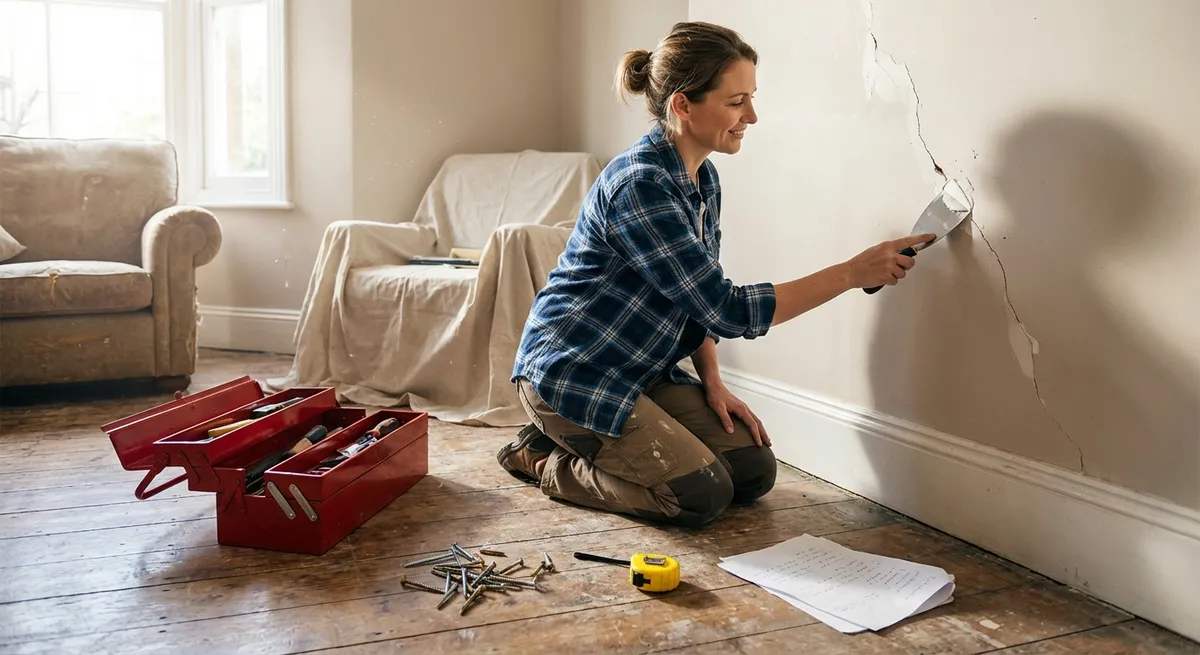
When something breaks at home, the hardest part is often deciding what to do first—not actually doing the repair. This guide gives you a simple, step-by-step gameplan for five common problems that stop your day in its tracks. Each fix is designed so you can move from “stuck” to “sorted” in under an hour, with tools you probably already own.
1. When the Wi‑Fi Suddenly Dies
Few things are more disruptive than losing internet in the middle of work, streaming, or homework. Before you call your provider, walk through this quick, systematic reset to eliminate the most common causes.
Confirm the outage
- Check another device (phone, tablet, laptop). - If everything is offline, continue. If only one device is affected, restart that device first.
Check physical connections
- Make sure the power light is on for both modem and router (or gateway combo). - Confirm the power cord is fully seated in the wall and the device. - Verify the Ethernet cable from modem to router “clicks” securely at both ends.
Do a clean power cycle (in order)
- Unplug the modem and router from power. - Wait 30–60 seconds so capacitors fully discharge. - Plug the modem back in first; wait until all normal lights stabilize (2–5 minutes). - Then plug the router back in and wait another 2–3 minutes.
Eliminate Wi‑Fi issues from the equation
- Connect a laptop directly to the router or modem using an Ethernet cable. - If wired internet works but Wi‑Fi doesn’t, log in to your router’s admin page (printed on the device) and: - Confirm Wi‑Fi is enabled. - Change the Wi‑Fi channel (to avoid interference). - Reboot the router from the interface.
Rule out provider problems
- Use your mobile data to visit your ISP’s status page or app. - If there’s a reported outage, you’ve confirmed it’s not your gear.
If the connection keeps dropping repeatedly, note the times and symptoms. That log will help your provider (or a technician) diagnose a failing modem, router, or external line more quickly.
2. When a Door Won’t Latch or Keeps Swinging Open
A door that won’t stay closed or rubs the frame is usually a small alignment issue—not a major carpentry job. You can often fix it with just a screwdriver and 15–20 minutes.
Test the problem
- Close the door slowly and watch where it sticks or misses the latch. - If it doesn’t reach the latch, the door has likely sagged. - If it rubs at the top or side, the hinges may be loose.
Tighten the hinge screws
- Open the door fully. - Use a screwdriver (better than a drill for control) to tighten all screws on the hinges—both on the door and the frame. - Focus especially on the top hinge; that’s where sag often starts.
Fix stripped screw holes (if screws keep spinning)
- Remove the loose screw. - Insert wooden toothpicks or matchsticks coated in wood glue into the hole. - Snap them off flush, let sit for a few minutes, then drive the screw back in. - The extra wood gives the screw fresh material to “bite” into.
Adjust the strike plate (if latch still misses)
- If the latch hits above or below the strike plate hole, lightly mark the contact point with a pencil. - Remove the strike plate screws and reposition it up or down by 1–2 mm, then retighten. - For minor misalignment, sometimes just loosening screws, nudging the plate, and tightening again is enough.
Silence squeaks while you’re at it
- Pull out one hinge pin at a time (tap up with a screwdriver and hammer). - Wipe it clean and lightly coat with petroleum jelly or a silicone-based lubricant. - Reinsert the pin and wipe any excess.
Most door latching issues are solved at the hinge and strike plate. If your door is heavily warped or damaged, that’s when it’s time to bring in a pro or consider replacement.
3. When a Sink Drains Slowly
A slow sink is usually a blockage at the surface or just below the stopper—not deep in the plumbing. Before you reach for harsh chemicals, try this straightforward mechanical approach.
Clear the visible blockage
- Remove any standing water with a cup or container. - Put on rubber gloves. - Pull out hair, food bits, or debris from the drain opening.
Check and clean the stopper (bathroom sinks)
- Look under the sink for the pivot rod (a small rod connected to the drain pipe and the lift knob). - Unscrew the nut holding the pivot rod and gently pull the rod out. - Lift the stopper out from the sink top; clean off any buildup. - Rinse the stopper in warm soapy water, then reassemble in reverse order.
Use a simple drain snake or zip strip
- Insert a plastic drain cleaning strip into the drain. - Wiggle and pull up to catch hair and gunk. - Repeat until the strip comes out mostly clean.
Flush with hot water and mild cleaner
- Boil a kettle or pot of water and allow to cool slightly (very hot but not violently boiling). - Pour slowly down the drain to help break down soap scum and grease. - Optionally follow with a mixture of 1/2 cup baking soda then 1/2 cup vinegar, let sit 10–15 minutes, then flush again with hot water.
Know when to stop DIYing
- If multiple drains are slow at once, you may have a main line issue—call a plumber. - If water backs up into other fixtures (like the tub when the sink runs), skip chemicals and get professional help.
Regularly pulling and cleaning the stopper every few months drastically reduces slow-drain problems, especially in bathrooms where hair and soap combine into dense clogs.
4. When a Window Won’t Stay Open or Slides Roughly
A stubborn window makes ventilation a chore and can be a safety issue. Many problems come down to dirt, dried paint, or worn tension—not a broken window unit.
Identify the window type
- Double-hung: slides up and down. - Slider: moves side-to-side. - Casement: swings out with a crank handle. - This determines how you access tracks and hardware.
Clean the tracks thoroughly
- Open the window fully (or as far as it will go). - Use a vacuum with a crevice tool to remove dust, dead insects, and debris from the tracks. - Follow with a damp cloth and mild soap; wipe dry completely.
Lubricate with the right product
- Use silicone-based spray lubricant for vinyl or aluminum tracks (not oil-based; oil attracts dust). - Spray a small amount on a cloth, then wipe along the track. - Move the window up and down or side to side several times to distribute.
Fix a window that won’t stay up (double-hung)
- Many modern windows use spring balances or tension mechanisms in the side jambs. - Look for tilt-in latches at the top of the sash; tilt the window inward per manufacturer instructions to inspect the balances. - If the balances are detached or broken, they often can be replaced as a part rather than replacing the window.
Address paint-sealed windows (older homes)
- Run a sharp utility knife carefully along the seam where the sash meets the frame and any painted-over joints. - Work slowly to avoid damaging wood or vinyl. - Gently pry with a putty knife along the edges until the sash moves freely.
If you feel excessive resistance or see cracked glass or bent frames, stop and consult a window specialist—forcing a stuck window can quickly turn into a broken one.
5. When a Small Appliance Suddenly Stops Working
A coffee maker, toaster, or blender going dead doesn’t always mean it’s time to replace it. Before tossing it, use this quick checklist to rule out simple, fixable issues.
Confirm the outlet and power source
- Test the outlet with another known-working device (like a phone charger). - If the outlet is dead, check your home’s breaker panel for a tripped breaker and reset if needed. - For outlets with GFCI (test/reset buttons), press Reset and test again.
Inspect the cord and plug
- Unplug the appliance and examine the cord for cuts, frays, or burn marks. - Check the plug prongs for discoloration, melting, or looseness. - If you see damage, stop using the appliance—damaged cords are a fire and shock hazard and should be repaired or replaced by a qualified technician or the manufacturer’s service center.
Look for built-in resets or fuses
- Some appliances (especially power strips, some coffee makers, some space heaters) have a reset button usually on the base or back. Press it firmly. - Consult the manual (or manufacturer’s website PDF) to locate internal fuses or thermal cutoffs for your model.
- Clean critical parts (coffee makers, toasters, etc.)
- For coffee makers: run a descale cycle with equal parts white vinegar and water through the machine, then run 2–3 cycles of plain water. Mineral buildup can cause malfunction or slow heating.
- For toasters: unplug and empty the crumb tray; tap gently upside down over a trash can to remove excess crumbs that can interfere with operation or create a fire risk.
Decide whether repair is worth it
- Check the appliance age and original cost. - Visit the manufacturer’s site to see repair options, parts availability, and safety recalls. - If the repair cost approaches 50% or more of replacement, replacement is usually more practical—unless it’s a high-end or specialty unit.
Always unplug appliances before inspecting or cleaning them. If you smell burning, see smoke, or hear unusual popping sounds, discontinue use immediately and do not attempt to open the casing yourself.
Conclusion
Quick fixes work best when you follow a simple pattern: verify the basics, address the most common cause first, and stop when you hit safety or complexity limits. The five scenarios above—Wi‑Fi failures, misbehaving doors, slow drains, sticky windows, and “dead” small appliances—cover a huge share of everyday annoyances. With a few basic tools and a calm, step-by-step approach, you can often restore function in under an hour and avoid unnecessary service calls. When something’s beyond your comfort zone, treat these steps as a useful triage before you call in a pro, so you’re informed, prepared, and in control of the repair.
Sources
- [Federal Communications Commission (FCC) – Consumer Guide to Internet Service](https://www.fcc.gov/consumers/guides/consumer-guide-internet-service) – Background on home internet equipment and troubleshooting basics
- [U.S. Department of Energy – Windows, Doors, and Skylights](https://www.energy.gov/energysaver/windows-doors-and-skylights) – Information on window types, performance, and basic maintenance considerations
- [US Environmental Protection Agency (EPA) – What to Do if You Have a Clogged Drain](https://www.epa.gov/septic/what-do-if-you-have-clogged-drain) – Guidance on safe drain clearing and when to seek professional help
- [U.S. Consumer Product Safety Commission (CPSC) – Household Electrical Safety](https://www.cpsc.gov/Safety-Education/Safety-Education-Centers/Electrical-Safety) – Safety best practices for outlets, small appliances, and cords
- [Harvard University – Campus Wi‑Fi Troubleshooting Tips](https://huit.harvard.edu/pages/wifi-troubleshooting-tips) – Practical steps for diagnosing common Wi‑Fi connectivity problems
Key Takeaway
The most important thing to remember from this article is that this information can change how you think about Quick Fixes.



