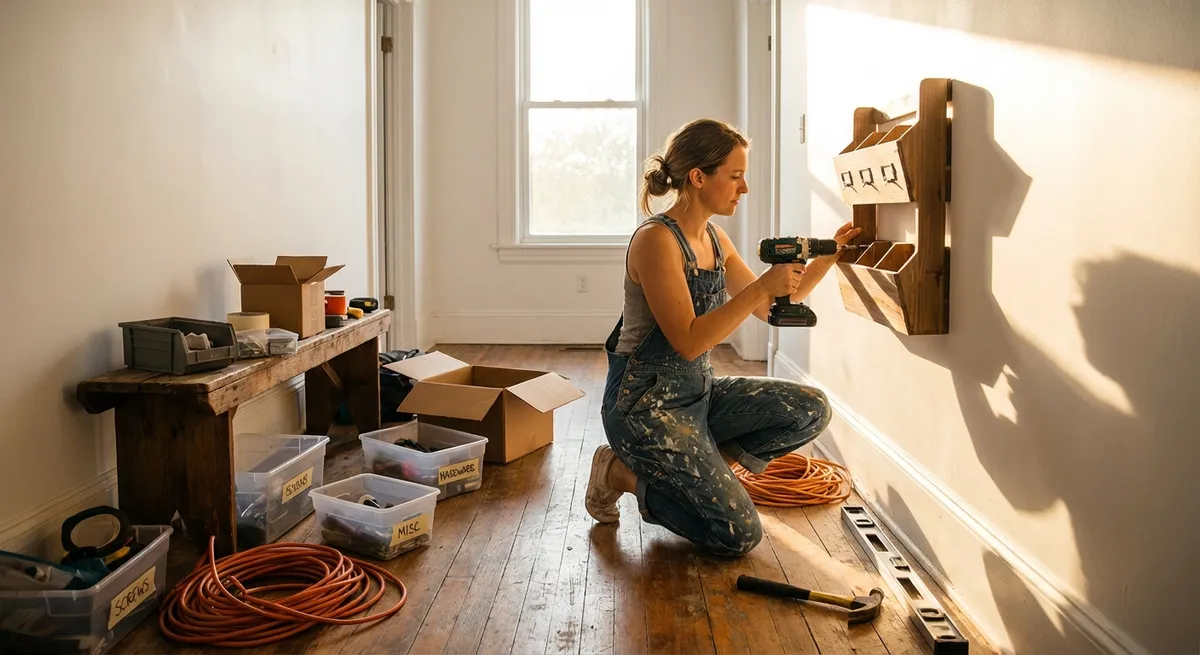
Small problems around the house have a way of piling up until they feel overwhelming. A dripping faucet here, a slow laptop there, a door that never quite shuts right—none of them seem urgent, but together they drain your time, money, and patience. This guide walks you through five practical, step-by-step DIY solutions you can handle without calling in a pro, using tools and supplies most people already have (or can get cheaply).
Each section focuses on one common problem and breaks it into clear, doable steps so you can get from “annoyed” to “fixed” in under an afternoon.
1. Silence a Dripping Faucet
A dripping faucet wastes water and quietly raises your bill. In many cases, the culprit is a worn-out washer or cartridge—something you can tackle with basic tools.
What you’ll need
- Adjustable wrench or basin wrench
- Flathead and Phillips screwdrivers
- Replacement washer or cartridge (model-specific)
- Towel and small container (for parts)
Step-by-step: Fix a compression-style faucet (with hot/cold knobs)
Turn off the water supply
- Look under the sink for two shutoff valves (hot and cold). - Turn them clockwise until they stop. - Open the faucet to confirm water is off.
Plug the drain
- Use a sink plug or a cloth so small screws and parts don’t fall in.
Remove the handle
- Pop off the decorative cap (if present) with a flathead screwdriver. - Unscrew the handle screw and pull the handle straight up.
Access the stem and washer
- Use your wrench to loosen the packing nut (the large nut under the handle). - Pull out the stem assembly. At the bottom, you’ll find a rubber washer held by a small screw.
Replace the washer and inspect seat
- Remove the screw and old washer. - Match it at a hardware store (bring the stem with you). - Install the new washer snugly (don’t overtighten the screw). - Check the valve seat inside the faucet body with a flashlight—if it’s cracked or pitted, you may need a seat wrench or professional help.
Reassemble and test
- Put the stem back in, tighten the packing nut, reinstall the handle and cap. - Turn the water supply back on slowly. - Open and close the faucet several times; check for leaks.
When you should stop and call a pro
- The shutoff valves won’t close or are corroded.
- The valve seat inside the faucet is badly damaged.
- You have a complex single-handle faucet with integrated temperature/pressure balancing and no manual.
2. Clear a Slow or Clogged Sink Without Harsh Chemicals
Before reaching for strong drain cleaners, try a mechanical and mild-chemical approach. It’s safer for your pipes, your lungs, and the environment.
What you’ll need
- Plunger (cup-style for sinks)
- Bucket
- Adjustable pliers
- Old toothbrush or small brush
- Baking soda and white vinegar
- Rubber gloves
Step-by-step: Start with the simple stuff
Remove and clean the stopper
- For bathroom sinks, loosen the nut on the back of the drainpipe under the sink to detach the stopper rod. - Pull the stopper out from above. - Clean off hair, soap scum, and debris with an old brush. - Reinstall the stopper and rod assembly.
Try hot water flushing
- Boil a kettle or large pot of water. - Carefully pour it down the drain in stages, allowing it to work between pours.
Use a plunger correctly
- Block any overflow openings with a damp cloth. - Fill the sink with enough water to cover the plunger cup. - Place plunger over the drain and plunge firmly 15–20 times, keeping the seal tight. - Lift to see if water drains; repeat if needed.
Step-by-step: Deep clean with baking soda and vinegar
Apply the mixture
- Pour about 1/2 cup of baking soda into the drain. - Follow with 1/2–1 cup of white vinegar. - Immediately plug the drain or cover with a rag to keep the reaction in the pipe. - Wait 15–30 minutes.
Flush again with hot water
- Pour another kettle of hot water down the drain. - Check if drainage has improved.
Step-by-step: Clean the P-trap (under-sink U-shaped pipe)
Disassemble the trap
- Place a bucket under the trap. - Use pliers (or your hands if it’s plastic) to loosen the slip nuts on each side of the trap. - Remove the trap and let water/debris drain into the bucket.
Clean and reassemble
- Scrub the inside of the trap with a brush. - Check washers for damage; replace if cracked or brittle. - Reattach the trap, hand-tighten, then snug gently with pliers. - Run water and check for leaks.
When to stop and call a pro
- Multiple drains in the house are backing up.
- You hear gurgling in other fixtures when one drains.
- You see sewage backing up into fixtures.
3. Fix a Door That Won’t Close or Keeps Swinging Open
A misbehaving door is usually a hinge or alignment problem. You can often fix it with a screwdriver and a few simple adjustments.
What you’ll need
- Phillips or flathead screwdriver (depending on screws)
- Wood toothpicks or matchsticks (no heads)
- Wood glue (optional but helpful)
- Utility knife or sandpaper
- Hammer and thin nail (if you need to adjust strike plate)
Step-by-step: Tighten and repair loose hinge screws
Inspect the hinges
- Open the door fully. - Check for loose screws or hinge plates pulling away from the frame or door.
Tighten screws first
- Use your screwdriver to snug all hinge screws on both door and frame sides. - Check if the door now closes and latches properly.
Fix stripped screw holes
- If a screw keeps spinning and won’t tighten, remove it. - Insert wood toothpicks or matchsticks dipped in wood glue into the hole until snug. - Snap them off flush with the surface. - Reinsert the screw; it should now bite firmly into the filled hole.
Step-by-step: Straighten a door that hits the frame
Check where it’s rubbing
- Close the door slowly and note where it contacts the frame (top, side, or bottom).
Adjust hinge position slightly
- If the top of the door hits the frame on the latch side, try tightening the top hinge and, if needed, slightly loosening the bottom hinge. - For smaller adjustments, you can bend the hinge leaf slightly by placing a large screwdriver between the hinge leaves (with the pin in place) and gently twisting.
Modify the strike plate (if only latching is the issue)
- If the door closes but doesn’t latch, mark where the latch hits the strike plate. - Loosen the strike plate screws and shift it slightly up, down, in, or out. Retighten. - For minor interference, carefully file or sand the strike plate opening.
Step-by-step: Stop a door from swinging open by itself
Adjust hinge tension
- With the door half-open, remove the pin from the top hinge. - Place the pin on a hard surface and tap it gently with a hammer to create a slight bend. - Reinsert the pin. This adds friction and helps the door stay put. - Repeat with the middle hinge if needed.
When to call a pro
- The door frame is visibly out of square or cracked.
- There’s evidence of structural movement (cracks in adjacent walls, gaps widening over time).
- You’re dealing with a heavy exterior door and aren’t confident handling it.
4. Speed Up a Slow Laptop Using Built-In Tools
If your laptop takes ages to start or respond, you may not need new hardware right away. Basic maintenance and settings changes can often restore usable performance.
(These steps are for Windows; for Macs, similar ideas apply but via different menus.)
What you’ll need
- Your laptop and its charger
- Internet connection (for updates)
- 30–60 minutes of uninterrupted time
Step-by-step: Clean up startup programs
Open Task Manager
- Press Ctrl + Shift + Esc. - Click the Startup tab.
Disable unnecessary startup apps
- Look for programs you don’t need to launch at startup (e.g., music players, chat apps, game launchers). - Right-click each and select Disable. - Leave antivirus and essential drivers/services enabled.
Step-by-step: Free up disk space
Use Storage Sense or Disk Cleanup
- Go to Settings > System > Storage. - Turn on Storage Sense (if available) to automatically clean temp files. - Click Temporary files, select what you don’t need (downloaded files only if you’re sure), then Remove files.
Uninstall unused programs
- Go to Settings > Apps > Installed apps (or Apps & features). - Sort by Size or Install date. - Remove software you no longer use (games, trial software, old tools).
Step-by-step: Run basic maintenance
Check for malware
- Open Windows Security > Virus & threat protection. - Run a Quick scan. - If issues are found, follow the recommended steps or run a Full scan.
Update Windows and drivers
- Go to Settings > Windows Update. - Install available updates. - Restart when prompted.
Optimize power and performance
- On laptops, click the battery icon and choose Best performance when plugged in. - For more control, go to Settings > System > Power & battery, and select an appropriate power mode.
Step-by-step: Defragment or optimize drives (HDD only)
Optimize drive
- Search for “Defragment and Optimize Drives.” - Select your hard drive (skip SSDs; they don’t need defragmenting). - Click Optimize. - Let it run; this may take some time.
When to consider hardware or a technician
- The laptop still struggles with basic tasks after cleanup.
- You hear grinding/clicking from the hard drive (possible failure).
- The laptop frequently overheats or shuts down—may need internal cleaning or thermal paste replacement.
5. Stop a Running Toilet and Cut Water Waste
A toilet that keeps running wastes a surprising amount of water every day. Most fixes involve adjusting or replacing simple parts inside the tank.
What you’ll need
- Adjustable pliers (optional)
- Replacement flapper (if existing one is warped)
- Replacement fill valve (only if necessary)
- Towel or sponge
Step-by-step: Diagnose the problem
Remove the tank lid
- Set it aside carefully; it’s heavy and fragile.
Look and listen
- If you hear water trickling, watch where it’s flowing: - Over the top of the overflow tube? Problem with water level or fill valve. - From the tank to the bowl (ripples in bowl)? Likely a bad flapper.
Do a quick dye test for leaks
- Add a few drops of food coloring into the tank. - Wait 10–15 minutes without flushing. - If color appears in the bowl, the flapper is leaking.
Step-by-step: Adjust water level
Adjust the float
- For a float cup on the fill valve: turn the adjustment screw or slide the clip to lower the float so the water stops about 1 inch below the top of the overflow tube. - For an old float ball on an arm: gently bend the float arm downward to reduce water level.
Test
- Flush the toilet, let it refill, and see if water still runs into the overflow tube.
Step-by-step: Replace a faulty flapper
Turn off water and drain tank
- Turn the shutoff valve behind/to the side of the toilet clockwise to close. - Flush to empty most of the water. Use a sponge to remove remaining water if needed.
Remove the old flapper
- Unhook the chain from the flush lever. - Detach the flapper ears from the overflow tube.
Install the new flapper
- Clip the new flapper to the overflow tube. - Attach the chain to the lever so there’s a slight slack (flapper can fully close without the chain holding it up).
Turn water back on and test
- Let the tank fill. - Flush several times and watch for leaks or incomplete closure.
Step-by-step: Replace the fill valve (if it won’t shut off)
Follow the manufacturer’s instructions
- Shut off water and drain the tank. - Disconnect the water supply line under the tank. - Remove the old fill valve retaining nut and lift it out. - Install the new valve at the correct height, secure it, reconnect the water line, and adjust water level per the instructions.
When to call in help
- The shutoff valve is seized or leaking.
- There are cracks in the tank or base of the toilet.
- You’ve replaced flapper and adjusted the float and it still runs.
Conclusion
Most everyday household annoyances are fixable with straightforward steps, basic tools, and a bit of patience. Silencing a dripping faucet, clearing a slow drain, taming a stubborn door, speeding up a sluggish laptop, or stopping a running toilet isn’t just about comfort—it saves water, energy, time, and money.
The key is to move systematically: diagnose first, take simple steps, and know when you’ve hit the limit of DIY and should bring in a pro. Start with one problem from this list, follow the steps carefully, and you’ll build confidence for the next repair on your list.
Sources
- U.S. Environmental Protection Agency – Fix a Leak - Guidance on saving water by repairing common household leaks like faucets and toilets
- The Family Handyman – How to Fix a Leaky Faucet - Detailed faucet repair walkthroughs with diagrams for different faucet types
- Washington State Department of Health – Septic and Plumbing Do’s and Don’ts - Explains safer alternatives to harsh drain chemicals and proper plumbing care
- Microsoft – Improve PC Performance in Windows - Official guide to speeding up Windows using built-in tools and settings
- Los Angeles Department of Water and Power – Fixing a Leaky Toilet - Step-by-step instructions and visuals for diagnosing and repairing running toilets
Key Takeaway
The most important thing to remember from this article is that this information can change how you think about DIY Solutions.