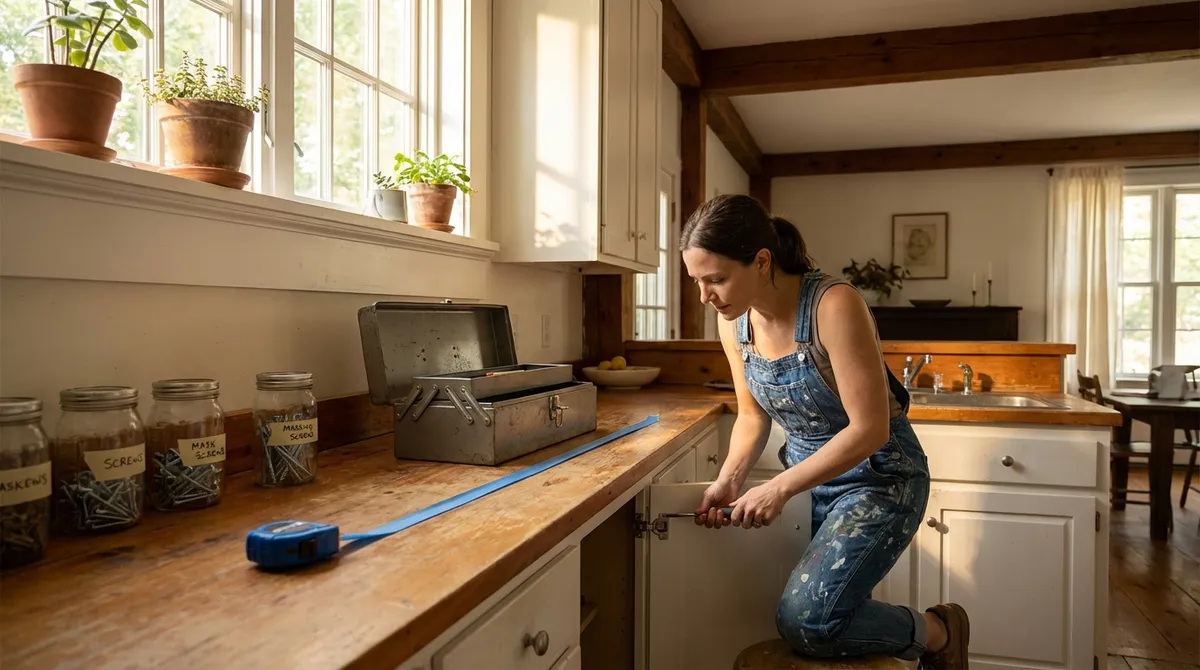
Not every problem at home needs a pro—or a panic scroll through forums. With a few simple tools and a clear plan, you can safely handle a lot of common issues yourself. This guide walks you through five practical DIY fixes with step‑by‑step instructions you can actually follow, even if you don’t consider yourself “handy.”
Each fix focuses on safety, clear actions, and knowing when to stop and call a professional.
1. Silencing a Dripping Faucet (Without Replacing the Whole Thing)
A dripping faucet wastes water and slowly drives you up the wall. In many cases, the cause is a worn-out washer or cartridge—not the entire faucet.
What you’ll need
- Adjustable wrench
- Screwdriver (Phillips or flat-head, depending on handle)
- Replacement washer or cartridge (match the brand/model if possible)
- Plumber’s tape (Teflon tape)
- Towel or rag
Step-by-step
Turn off the water supply
Look under the sink for the shutoff valves. Turn them clockwise until they stop. Open the faucet to release any remaining water and pressure.
Plug the drain
Use the sink stopper or a rag so you don’t lose screws or small parts down the drain.
Remove the faucet handle
- Pry off the decorative cap (if present) with a flat screwdriver. - Unscrew the handle screw and lift the handle off.
Access the valve or cartridge
- Use the wrench to loosen the packing nut or cap. - Gently pull out the valve stem (for compression faucets) or the cartridge (for cartridge faucets).
Inspect and replace worn parts
- For compression faucets: Look at the rubber washer at the bottom of the stem. If it’s cracked, flattened, or brittle, replace it with an identical size. - For cartridge faucets: Replace the entire cartridge with the same model.
Apply plumber’s tape if needed
Wrap plumber’s tape around threaded connections to improve the seal and reduce leaks.
Reassemble slowly and carefully
Reverse the steps: insert the stem/cartridge, tighten the nut (snug, not over-tight), reinstall the handle and cap.
Turn the water back on and test
Slowly open the shutoff valves and test the faucet. If the drip is gone, you’re done. If it persists, the faucet body may be damaged and you may need a full replacement or a plumber.
2. Reviving a Dead Outlet That Suddenly Stopped Working
When an outlet stops working, it can feel like an electrical mystery. Often the issue is a tripped breaker or GFCI outlet rather than a failed outlet itself.
Important safety note
If you smell burning plastic, see scorch marks, or hear buzzing from the outlet, stop and call an electrician. Do not attempt DIY repair in those cases.
What you’ll need
- Plug-in device (lamp or phone charger) for testing
- Flashlight (optional)
- Access to your home’s electrical panel
Step-by-step
Confirm the outlet is actually dead
Plug in a device you know works. Test both sockets on the outlet. If the device doesn’t power on, continue.
Check nearby outlets for a GFCI reset button
In kitchens, bathrooms, garages, and basements, outlets are often protected by a GFCI outlet with “TEST” and “RESET” buttons. - Press the RESET button firmly. - Test the dead outlet again.
Inspect your breaker panel
- Locate your electrical panel (often in a basement, hallway, garage, or utility room). - Look for a breaker that is slightly out of line with the others or labeled “OFF” or “TRIPPED.” - Flip the tripped breaker fully to OFF, then back to ON.
Retest the outlet
Plug in your test device again. If it works, the problem is solved. If not, move to the next step.
Check for obvious damage (without removing the cover)
Look for: - Burn marks on the outlet cover - Cracked faceplate - Wobbling or loose faceplate Any of these signs means you should stop and call a licensed electrician.
Decide your next move
- If the breaker and GFCI are fine, there may be a loose wire or failed outlet. - Replacing an outlet can be DIY, but only if you’re comfortable turning off the main breaker, verifying no power with a tester, and wiring correctly. If you’re unsure at any step, it’s safer (and usually cheaper long-term) to hire a professional.
3. Unclogging a Slow Drain Without Harsh Chemicals
A slow sink or tub drain is one of the most common annoyances at home. Many clogs can be cleared without chemical drain cleaners, which can be harsh on pipes and the environment.
What you’ll need
- Rubber gloves
- Drain plug or stopper removal tool (or screwdriver, if applicable)
- Bent wire hanger or plastic drain snake
- Bucket or bowl
- Plunger (cup-style for sinks, flange-style for toilets)
- Hot (not boiling) water
Step-by-step
Remove the stopper or drain cover
- For bathroom sinks, twist and pull up the stopper. Some require unscrewing a rod under the sink. - For tubs, unscrew the drain cover or pop it off.
Physically remove hair and debris
Put on gloves. Use a bent wire hanger or drain snake to pull out hair and gunk. This alone often solves bathroom clogs.
Flush with hot water
Run hot tap water (not boiling, especially on PVC pipes). Let it run for a minute to see if the flow improves.
Use a plunger if the drain is still slow
- For sinks: - Block the overflow hole with a wet cloth. - Add a small amount of water to cover the drain. - Place the plunger over the drain and plunge firmly 10–15 times. - For tubs: - Cover the overflow with a cloth. - Plunge over the drain as above.
Repeat and recheck
Sometimes two or three rounds of plunging and pulling debris are needed. Test between rounds by running water.
Know when to stop
- If the drain remains fully blocked after several attempts, or you hear gurgling in other fixtures, the clog may be deeper in the plumbing. - At that point, a professional with a drain auger is the more efficient option.
Prevent future clogs
- Use a hair catcher in showers and tubs. - Avoid rinsing coffee grounds, grease, and large food scraps down kitchen sinks. - Once a month, flush drains with hot water to help reduce buildup.
4. Resetting a Wi‑Fi Router That Keeps Dropping the Signal
Before assuming your internet provider is the problem, it’s worth checking your router and basic network setup. Many “my Wi‑Fi is broken” issues are solved with a clean reset and better placement.
What you’ll need
- Access to your router and modem
- Your internet provider’s account login (optional but helpful)
- A phone, tablet, or computer to test connection
Step-by-step
Power cycle the right way
- Unplug the modem (the device connected to the wall) and the router (the one with antennas or Wi‑Fi symbol). - Wait 30 seconds. - Plug the modem back in first and wait 1–2 minutes until lights stabilize. - Plug the router back in and wait another 1–2 minutes.
Test your connection
- Stand near the router with your device. - Check if the Wi‑Fi network appears and if you can connect. - Run a quick speed test (e.g., using your provider’s app or a trusted speed test site).
Check router placement
- Place the router in an open, central area, elevated on a shelf or table. - Avoid closets, behind TVs, or directly next to large metal objects or microwaves.
Reduce interference
- If your router supports both 2.4 GHz and 5 GHz bands, connect close devices (TV, laptop near the router) to 5 GHz for speed and distant devices to 2.4 GHz for range. - Turn off or disconnect old devices you no longer use that might still be trying to connect.
Update router firmware (if comfortable)
- Look for the router brand label (e.g., TP-Link, Netgear, Asus). - Enter the router’s IP (often printed on the label) into a browser, log in, and check for firmware updates. - Follow on-screen instructions. Don’t unplug the router during an update.
When to call your provider
- If all devices drop connection at the same time frequently. - If modem lights flash abnormally or go out completely. - If your speed test results are dramatically below the plan you’re paying for over multiple days.
5. Quieting a Noisy Cabinet Door or Drawer
That one cabinet or drawer that slams, squeaks, or won’t stay closed can be fixed faster than you can complain about it. Most of these issues are about loose screws, misaligned hinges, or worn bumpers.
What you’ll need
- Phillips screwdriver
- Flat-head screwdriver (optional)
- Small level (optional but helpful)
- Self-adhesive felt or rubber bumpers
- Light machine oil or silicone spray
Step-by-step
Identify the exact problem
Watch and listen as you open and close the door or drawer: - Is it squeaking? - Is it not closing all the way? - Is it banging loudly?
Tighten all hinge or slide screws
- For cabinet doors: Tighten each hinge screw on the door and the cabinet frame. - For drawers: Tighten screws on the slides (both on the drawer box and inside the cabinet).
Adjust hinge alignment (for cabinet doors)
Many modern hinges have small adjustment screws: - One moves the door side-to-side. - One moves it in/out toward the frame. - Adjust slowly, a quarter-turn at a time, then test the door until it closes evenly and doesn’t rub.
Lubricate moving parts
- Apply a tiny amount of light oil or silicone spray to hinge pins or drawer slides. - Open and close the door/drawer several times to distribute. - Wipe away excess to avoid drips and dust buildup.
Soften the impact
- Stick felt or rubber bumpers where the door touches the frame. - For drawers, place bumpers on the inner corners of the drawer front. This reduces noise even if the alignment isn’t perfect.
Check for warped wood or damaged hardware
If the door or drawer is visibly warped, or the hinge plate is bent or cracked, a replacement part may be necessary. In many cases, replacing the hinge or slide set is still a straightforward DIY swap using the existing screw holes.
Conclusion
Small problems—dripping faucets, slow drains, dead outlets, unstable Wi‑Fi, noisy cabinets—add up to daily frustration. With a simple toolkit and a step‑by‑step approach, you can handle many of these issues yourself safely and confidently.
The key is knowing three things: how to shut things off (water, power, devices), how to work methodically, and when to stop and bring in a professional. Start with one fix from this list, follow each step carefully, and you’ll build the kind of DIY confidence that pays off every time something else acts up at home.
Sources
- [U.S. Environmental Protection Agency: WaterSense – Fixing Leaks](https://www.epa.gov/watersense/fix-leak-week) - Explains how common household leaks like dripping faucets waste water and why fixing them matters
- [U.S. Department of Energy – Home Wiring & Electrical Safety](https://www.energy.gov/energysaver/home-wiring-electrical-systems) - Provides guidance on basic home electrical systems and safety considerations
- [New York City Department of Environmental Protection – Preventing Clogged Drains](https://www.nyc.gov/site/dep/residents/clogged-drains.page) - Covers best practices to prevent and address common household drain clogs
- [Federal Communications Commission – Broadband Consumer Guide](https://www.fcc.gov/consumers/guides/broadband-speed-guide) - Offers information on internet performance, troubleshooting speed issues, and working with providers
- [Family Handyman – How to Adjust Cabinet Doors](https://www.familyhandyman.com/project/how-to-adjust-cabinet-doors/) - Step-by-step visuals and tips for aligning and quieting cabinet doors
Key Takeaway
The most important thing to remember from this article is that this information can change how you think about DIY Solutions.