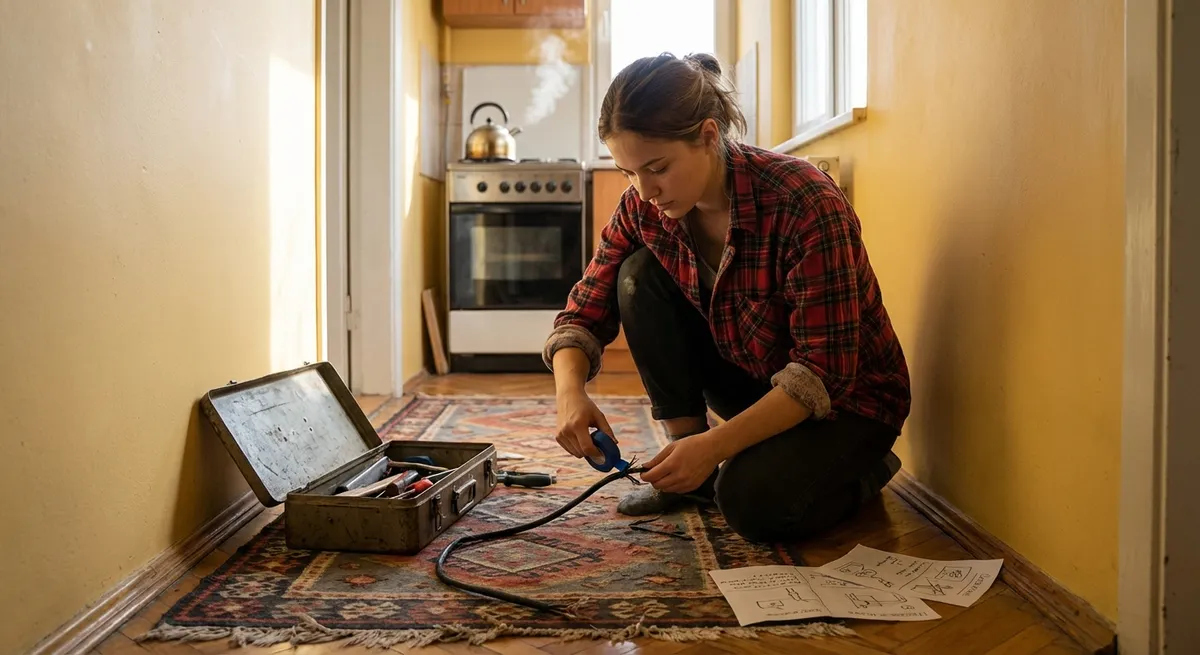
Not every problem needs a full toolbox or a call to a pro. A lot of annoying everyday issues can be fixed in minutes with what you already have at home—if you know where to start. This guide walks you through five practical, step‑by‑step quick fixes that save time, money, and frustration.
Each section is built so you can follow along in order: identify the problem, try the fastest safe fix, then move to the next step only if needed.
1. When a Door Won’t Close Smoothly (Sticking or Misaligned Door)
A sticking interior door is usually a small alignment or friction issue, not a major carpentry job. You can often fix it in under 15 minutes.
Step 1: Find where it’s sticking
- Slowly close the door and watch where it rubs or stops.
Look for:
- Scuff marks on the edge or frame - Fresh bare wood where paint has rubbed off 3. Lightly mark those spots with a pencil.
Step 2: Try the fastest fix — tighten the hinges
- Open the door fully.
- Use a screwdriver to tighten all hinge screws on the door and frame.
- Focus on the top hinge first; a loose top hinge often causes sagging.
- Test the door. If it closes smoothly now, you’re done.
Step 3: Fix stripped screw holes (if screws keep spinning)
- Remove one loose screw at a time.
- Push in wooden toothpicks or a small wood match (without the head), dipped in wood glue.
- Snap them off flush with the surface.
- Reinsert the screw and tighten.
- Repeat for any other stripped holes.
Step 4: Reduce friction on minor rub spots
If there’s still light rubbing but the door basically closes:
- Rub a dry bar of soap, beeswax, or a candle along the sticking edge.
- Open and close the door several times to spread the lubricant.
- If it still binds hard, move to sanding.
Step 5: Lightly sand only where it rubs (if really needed)
- Use medium‑grit sandpaper (120–150 grit).
- Sand the marked spots on the door edge in straight strokes.
- Test frequently—sand a little, then close the door and check.
- Once it clears, smooth with finer sandpaper (220 grit) and wipe dust.
- Touch up with paint or sealer if possible to protect the wood.
2. Quiet a Loud, Rattling Bathroom Fan
A noisy bathroom fan is often dirty or slightly loose—not broken. Cleaning and tightening can restore normal sound and airflow.
Step 1: Cut power and remove the cover
- Turn off the fan switch.
- For extra safety, switch off the bathroom circuit at the breaker panel if accessible.
- Pull down the fan cover; most are held by two spring clips. Squeeze the clips to remove the cover.
- Set the cover aside.
Step 2: Clean dust buildup
Use a vacuum with a brush attachment to remove dust from:
- The cover (both sides) - Fan blades or squirrel‑cage wheel - Housing and any visible vents 2. Use a slightly damp cloth to wipe remaining dust and grime. Avoid soaking the motor.
Step 3: Check for loose parts
- Gently wiggle the fan motor assembly. It should feel secure.
- Tighten any visible mounting screws.
- Check for loose metal flaps or ducts that might rattle when air moves.
Step 4: Test with the cover off
- Turn the power back on.
Turn on the fan and listen:
- If it’s much quieter, the issue was dust or a loose part. - If still rattling loudly, watch the fan for wobble or vibration. 3. If the fan wheel looks bent or severely wobbling, replacement may be more effective than repair.
Step 5: Reinstall the cover correctly
With power off again, reattach the cleaned cover:
- Hook the spring clips back into their slots. - Push the cover up until it sits flush with the ceiling. 2. Turn the fan on. A clean, secured fan should be noticeably quieter.
3. Revive a Slow or Unresponsive Wi‑Fi Connection
Before buying a new router or calling your provider, a few quick checks can often restore normal speeds.
Step 1: Confirm it’s not just one device
- Test Wi‑Fi on at least two devices (e.g., your phone and a laptop).
If only one device is slow:
- Restart that device. - Forget the network and reconnect. - Update its system or network drivers if prompted. 3. If all devices are slow, continue.
Step 2: Power‑cycle your modem and router
Unplug the power from:
- Modem - Router (or combined modem/router) 2. Wait at least 30 seconds. 3. Plug in the modem first, wait until all lights stabilize. 4. Plug in the router and wait 2–3 minutes. 5. Test your connection again.
Step 3: Improve router placement
Place the router:
- In a central, open spot (not inside a cabinet or behind a TV). - Off the floor and away from thick walls and major appliances.
Avoid placing it directly next to:
- Microwaves - Cordless phone bases - Large metal objects (file cabinets, refrigerators) 3. Retest speed in problem areas.
Step 4: Check for Wi‑Fi congestion
- If you’re in an apartment or dense area, overlapping networks cause interference.
- Log into your router’s admin page (address is usually on a label, like
192.168.0.1).
Look for “Channel” or “Wireless settings”:
- On 2.4 GHz, try channels 1, 6, or 11. - On 5 GHz, choose “Auto” or a different channel from default. 4. Apply changes and test again.
Step 5: Use a wired test to isolate issues
- Connect a laptop directly to the router with an Ethernet cable.
- Run an internet speed test (e.g., via your ISP’s site or speedtest.net).
Compare:
- If wired is fast, but Wi‑Fi is slow → Wi‑Fi setup or interference is the issue. - If wired is also slow → Call your provider; the problem is beyond your router.
4. Stop a Dripping Faucet (Single‑Handle Bathroom/Kitchen Tap)
A constantly dripping faucet wastes water and money. If you have a single‑handle faucet, a worn cartridge or seal is often the cause, but tightening and cleaning can sometimes reduce or stop the drip temporarily.
Step 1: Turn off water and plug the drain
- Look under the sink and turn off the hot and cold shutoff valves (turn clockwise).
- Turn the faucet handle on to relieve pressure, then off again.
- Put a sink plug or rag in the drain to catch small parts.
Step 2: Remove the handle
- Look for a small cap on the handle (often with hot/cold markings). Pry it off with a small flat screwdriver or your fingernail.
- Use a screwdriver or Allen wrench to remove the handle screw.
- Lift off the handle to expose the cartridge or valve assembly.
Step 3: Check for loose cartridge or retaining nut
- Many single‑handle faucets have a retaining nut holding the cartridge in place.
- Use an adjustable wrench to gently snug the nut (do not over‑tighten).
Reassemble the handle temporarily and test:
- Turn water back on at the shutoffs. - Turn the faucet on and off and watch for drips. 4. If the drip is noticeably reduced or gone, this may be enough for now.
Step 4: Clean mineral buildup (quick improvement)
- With water off and handle removed again, lightly wipe accessible parts with a cloth.
- For visible mineral deposits, apply a paper towel soaked in white vinegar and let sit 5–10 minutes.
- Wipe everything clean and avoid forcing or bending parts.
- Reassemble the faucet and test for leaks.
Step 5: Plan a full cartridge replacement if needed
If the drip continues at the same rate:
- Note your faucet brand and model (check underneath or on the trim).
- Search the manufacturer’s website for a replacement cartridge or repair kit.
- Many brands provide detailed diagrams and videos for your exact model.
- When the part arrives, follow their specific steps—most are straightforward with basic tools.
5. Fix a Loose Wall Plug That Won’t Hold Chargers Firmly
If cords fall out of an outlet easily, you don’t necessarily need an electrician immediately. In many cases, the fix is a safe replacement of a worn outlet—if you are comfortable and follow safety steps carefully. If you’re not, this section still helps you understand what a pro will do.
Important: If the outlet is hot to the touch, smells burnt, is scorched, or sparks, stop using it and call a licensed electrician. That’s beyond a basic DIY quick fix.
Step 1: Test the outlet behavior
- Plug in a standard charger or lamp.
Gently wiggle the plug:
- If it falls out easily or feels very loose, the internal contacts are worn. - If it’s firm in one outlet but loose in the other on the same face, only one side is bad.
Step 2: Turn off power at the breaker
- Find your electrical panel and switch off the breaker labeled for that room.
Verify power is off:
- Plug in a lamp or use a plug‑in tester. - Or use a non‑contact voltage tester on the outlet slots. It should not detect power.
Step 3: Remove the outlet cover and inspect
- Unscrew the outlet cover plate and remove it.
- Gently pull the outlet forward by its mounting screws.
- Do not touch any bare metal if you’re unsure the power is fully off.
Check for:
- Melted or scorched plastic - Loose or frayed wires - Signs of overheating
If you see serious damage, stop and call an electrician.
Step 4: Replace the worn outlet (if you’re comfortable)
- Take a clear photo of the wiring before disconnecting anything.
- Loosen the terminal screws and remove each wire one at a time.
Connect wires to the new outlet in the same positions:
- Black or red (hot) wires to brass screws. - White (neutral) wires to silver screws. - Bare or green (ground) wire to green screw. 4. Tighten screws firmly, making sure no bare copper is exposed beyond the terminals. 5. Gently fold wires back into the box and screw the outlet in place. 6. Reattach the cover plate.
Step 5: Restore power and test
- Turn the breaker back on.
Plug in your charger or lamp and test:
- The plug should fit snugly and not sag or fall out. 3. Use a plug‑in tester to confirm correct wiring if you have one.
If anything trips a breaker, feels hot, or smells odd, turn power off and call a professional.
Conclusion
Quick fixes don’t have to be complicated or risky when you break them into clear steps: identify the problem, start with the smallest safe action, test, and only then move to the next level. Whether it’s a sticking door, a loud fan, sluggish Wi‑Fi, a dripping faucet, or a loose outlet, a calm, methodical approach helps you solve more problems on your own—and know when it’s time to bring in a pro.
Bookmark or share this guide so you’ve got a fast reference the next time something around your home starts acting up.
Sources
- [U.S. Department of Energy – Energy Saver: Home Cooling Systems](https://www.energy.gov/energysaver/home-cooling-systems) – General guidance on fans, ventilation, and efficient operation
- [FCC – Wi‑Fi Networks and Interference](https://www.fcc.gov/consumers/guides/interference-cordless-telephones-and-wireless-networks) – Explains wireless interference sources and mitigation tips
- [EPA WaterSense – Fix a Leak](https://www.epa.gov/watersense/fix-leak-week) – Information on household leaks, water waste, and basic repair awareness
- [National Institute of Standards and Technology (NIST) – Electrical Safety](https://www.nist.gov/engineering-laboratory/fire-research-division-73300/community-resilience-group/electrical-safety) – Background on electrical safety considerations in buildings
- [Moen – Faucet Repair & Troubleshooting](https://www.moen.com/customer-support/troubleshooting-faq/faucets) – Manufacturer instructions and diagrams for common faucet repairs
Key Takeaway
The most important thing to remember from this article is that this information can change how you think about Quick Fixes.



