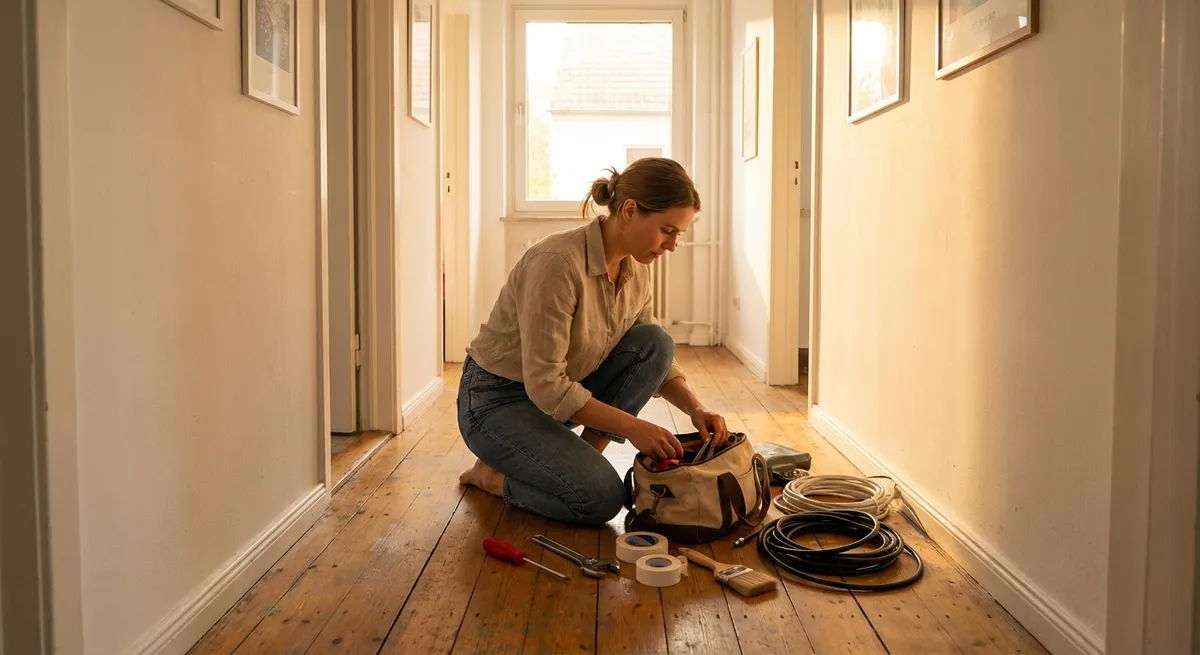
Most “small” problems around the house stay small… until they finally annoy you enough to act. A dripping faucet, a wobbly chair, or a slow laptop can quietly waste your time, money, and energy every single day. This guide walks you through five practical DIY fixes you can handle with basic tools and a bit of patience—no guesswork, no jargon, just clear steps you can follow right now.
Stop a Dripping Faucet and Cut Water Waste
A dripping faucet can waste gallons of water a day and drive you up the wall at night. The good news: many leaks come from a worn-out washer or cartridge you can replace yourself.
What you’ll need
- Adjustable wrench or basin wrench
- Screwdriver (Phillips and flathead)
- Replacement washer or cartridge (model-specific)
- Plumber’s tape (Teflon tape)
- Small towel or rag
Step-by-step
Shut off the water supply
Look under the sink for the shutoff valves. Turn them clockwise until they stop. Test the faucet to confirm the water is off.
Plug the drain
Use the sink stopper or a rag so small screws or parts don’t fall down the drain.
Remove the handle
- Pop off the decorative cap (if present) with a flathead screwdriver. - Unscrew the handle screw and lift the handle off. - Keep all parts in order so you can reassemble easily.
Access the cartridge or stem
Under the handle, you’ll see a retaining nut or clip. - Use your wrench to loosen the nut gently. - Remove the stem or cartridge by pulling straight up.
Inspect and match the part
- Look for worn rubber seals, cracked washers, or mineral buildup. - Take the old part to a hardware store to match the exact replacement (brand and model matter here).
Replace seals or cartridge
- If it’s a washer-style stem, swap the old washer and O-rings with new ones. - If it’s a cartridge faucet, install the new cartridge in the same orientation as the old one.
Reassemble carefully
- Reinsert the stem or cartridge. - Tighten the retaining nut snugly but don’t overtighten. - Reinstall the handle and decorative cap.
Turn water back on and test
- Slowly open the shutoff valves. - Turn the faucet on and off several times. - Check for leaks at the base and spout.
If the drip continues, the valve seat might be damaged or the faucet body may be corroded. At that point, replacing the entire faucet or calling a plumber is usually more efficient.
Fix a Wobbly Chair or Table So It Feels Solid Again
Loose joints aren’t just annoying—they can eventually break furniture. Tightening fasteners and reinforcing joints can make a wobbly piece feel almost new.
What you’ll need
- Wood glue (interior or waterproof, depending on location)
- Clamps or heavy objects
- Screwdriver / Allen key (depending on screws)
- Wood screws (if replacements are needed)
- Sandpaper (medium and fine grit)
- Damp cloth
Step-by-step
Flip and inspect the furniture
Turn the chair or table upside down on a soft surface (towel or blanket). - Identify which legs or joints move. - Check for stripped screws, loose dowels, or cracked wood.
Tighten all existing hardware
- Use the appropriate screwdriver or Allen key to snug up all screws and bolts. - Tighten gradually and evenly to avoid twisting the frame.
Test again for wobble
- Flip the furniture upright and gently rock it. - If it’s still wobbly, the wood joints likely need glue.
Disassemble the loose joint
- Carefully remove screws or dowels from the problem joint. - Wiggle the joint apart without forcing it to avoid further damage. - Clean out old glue and dust with sandpaper and a damp cloth, then let dry.
Apply wood glue properly
- Spread a thin, even layer of glue on the mating surfaces (inside mortises or around dowels). - Avoid overloading with glue—it should just squeeze out slightly when clamped.
Reassemble and clamp
- Put the joint back together, making sure everything aligns correctly. - Clamp firmly or use heavy objects to hold the joint tight. - Wipe away squeezed-out glue with a damp cloth.
Let it cure fully
- Follow the glue’s instructions—typically clamp for 30–60 minutes and avoid stress for 24 hours.
Final check
- Once cured, remove clamps and flip the furniture upright. - Gently rock it to confirm the wobble is gone. - If one leg is slightly shorter, add felt pads to the leg bottoms to level.
Clear a Slow-Draining Sink Without Harsh Chemicals
A slow drain usually means buildup of hair, soap scum, and grease, not a catastrophic clog. You often can clear it manually and with simple household items.
What you’ll need
- Rubber gloves
- Bucket or bowl
- Old toothbrush or small brush
- Plunger (cup-style for sinks)
- Baking soda and white vinegar, or a drain snake
- Adjustable wrench (for P-trap removal, if needed)
Step-by-step
Remove the stopper or drain cover
- For bathroom sinks, lift out the stopper or unscrew the drain cover. - Clean visible gunk by hand using gloves and a brush.
Try the plunger first
- Fill the sink with enough water to cover the plunger cup. - Block the overflow hole with a damp cloth. - Plunge with firm, quick motions 10–15 times. - Remove the plunger and see if the water drains faster.
Use baking soda and vinegar (for light clogs)
- Pour about 1/2 cup baking soda down the drain. - Follow with 1/2–1 cup vinegar. - Let it fizz for 15–20 minutes. - Flush with a full kettle of hot (not boiling for some sinks) water.
Use a drain snake for stubborn hair clogs
- Feed a plastic or metal drain snake into the drain. - Rotate and pull back slowly to hook hair and debris. - Clean off the snake and repeat until it comes back relatively clean.
Clean the P-trap if needed
If the sink is still slow: - Place a bucket under the P-trap (the U-shaped pipe). - Loosen the slip nuts with your hand or a wrench and remove the trap. - Clear debris and rinse the trap in another sink or outdoors. - Reassemble, ensuring washers are seated correctly.
Test for leaks and flow
- Run water for several minutes. - Check all connections under the sink for drips. - If you see leaks, gently tighten the slip nuts.
Avoid chemical drain cleaners if possible—they can be harsh on pipes and dangerous if misused. Mechanical clearing is safer and usually more effective.
Quiet a Squeaky Door So It Stops Announcing Every Move
Squeaks come from friction between the hinge pin and the hinge leaves. Lubricating those parts can silence the noise in minutes.
What you’ll need
- Lubricant (silicone spray, white lithium grease, or petroleum jelly)
- Hammer and nail (or small screwdriver)
- Rag or paper towels
- Optional: WD-40 as a cleaner, followed by a real lubricant
Step-by-step
Identify the squeaky hinge
Open and close the door to pinpoint which hinge (or hinges) make the noise.
Support the door if needed
For heavy doors, slide a wedge or folded cardboard under the door to relieve pressure on the hinges.
Remove the hinge pin
- Place a nail or small screwdriver under the pin’s bottom tip. - Gently tap upward with a hammer until the pin loosens. - Pull the pin out from the top with your fingers or pliers.
Clean the hinge pin
- Wipe off old grease, rust, and dust with a rag. - If very dirty, spray a bit of WD-40 to clean, then wipe dry.
Apply lubricant
- Coat the hinge pin lightly with silicone spray, white lithium grease, or petroleum jelly. - Avoid overdoing it—excess will drip and collect dust.
Reinsert the pin
- Align the hinge leaves and slide the pin back in from the top. - Tap gently with a hammer until fully seated.
Work the door
- Open and close the door multiple times to distribute the lubricant. - Wipe away any drips or excess from the hinge area.
Repeat for other hinges if needed
If the squeak persists, repeat the process hinge by hinge until the door operates quietly.
Speed Up a Sluggish Laptop With Basic Maintenance
You don’t always need a new device when your laptop slows to a crawl. Simple cleanup and basic settings changes can restore a lot of performance.
Important safety note: If you’re unsure about opening your laptop, limit yourself to software steps or check your manufacturer’s instructions first.
What you’ll need
- Internet connection
- External drive or cloud storage for backups
- Compressed air (for dust cleaning)
- Your laptop charger
Step-by-step
Back up important files first
- Save critical documents, photos, and project files to an external drive or cloud storage. - This protects you in case anything goes wrong or you decide to reset the system later.
Uninstall unused programs
- On Windows: Settings → Apps → Installed apps; remove software you don’t use. - On macOS: Open Applications folder and drag unused apps to Trash. - Avoid deleting anything you don’t recognize as it may be essential.
Disable unnecessary startup programs
- Windows: Press Ctrl + Shift + Esc → Startup tab; disable apps you don’t need at boot. - macOS: System Settings → General → Login Items; remove or toggle off non-essential items. - This reduces the load every time you turn on your laptop.
Clear temporary files and free space
- Windows: Use “Storage Sense” or “Disk Cleanup” to remove temp files and system junk. - macOS: Apple menu → About This Mac → Storage → Manage; review recommendations. - Try to keep at least 15–20% of your drive space free for best performance.
Run updates
- Update your operating system and drivers. - Update your browser and major applications. - Restart after major updates to apply changes.
Check for malware
- Run a full scan with Windows Security (built-in) or a reputable antivirus. - Remove any threats detected and restart.
Clean vents and fans (hardware step)
- Turn off the laptop and unplug it. - Blow compressed air into the vents in short bursts to clear dust. - Do not spin fans excessively—short controlled bursts are safer. - Improved cooling can prevent throttling and speed dips.
Consider simple upgrades
- If your laptop has a mechanical hard drive, upgrading to an SSD can dramatically speed things up. - Adding more RAM (if the system allows it) can also help if you multitask heavily. - Check your manufacturer’s site for compatible parts and instructions.
If performance is still poor after these steps, your hardware might be reaching its limits, or there could be deeper issues. At that stage, a professional tune-up or replacement may be worth considering.
Conclusion
Most everyday problems don’t require a full toolbox or a professional visit—just a clear plan and a bit of time. Stopping a drip, stabilizing a chair, clearing a slow drain, silencing a door, or reviving a slow laptop are all well within reach if you work step by step. Start with one fix today, build your confidence, and your home (and budget) will feel the difference.
Sources
- U.S. Environmental Protection Agency – WaterSense: Fix a Leak - Explains how small leaks waste water and offers guidance on basic leak repairs
- This Old House – How to Fix a Leaky Faucet - Detailed walkthrough of faucet types and leak-fixing methods
- Family Handyman – How to Repair Loose Chairs - Practical techniques for regluing and reinforcing wobbly wooden furniture
- Mayo Clinic – Computer Use and Eye Strain - Background on why optimizing computer performance and settings can reduce eye strain and fatigue
- Microsoft Support – Improve PC Performance in Windows - Official tips for cleaning up software, managing startup programs, and improving system speed
Key Takeaway
The most important thing to remember from this article is that this information can change how you think about DIY Solutions.