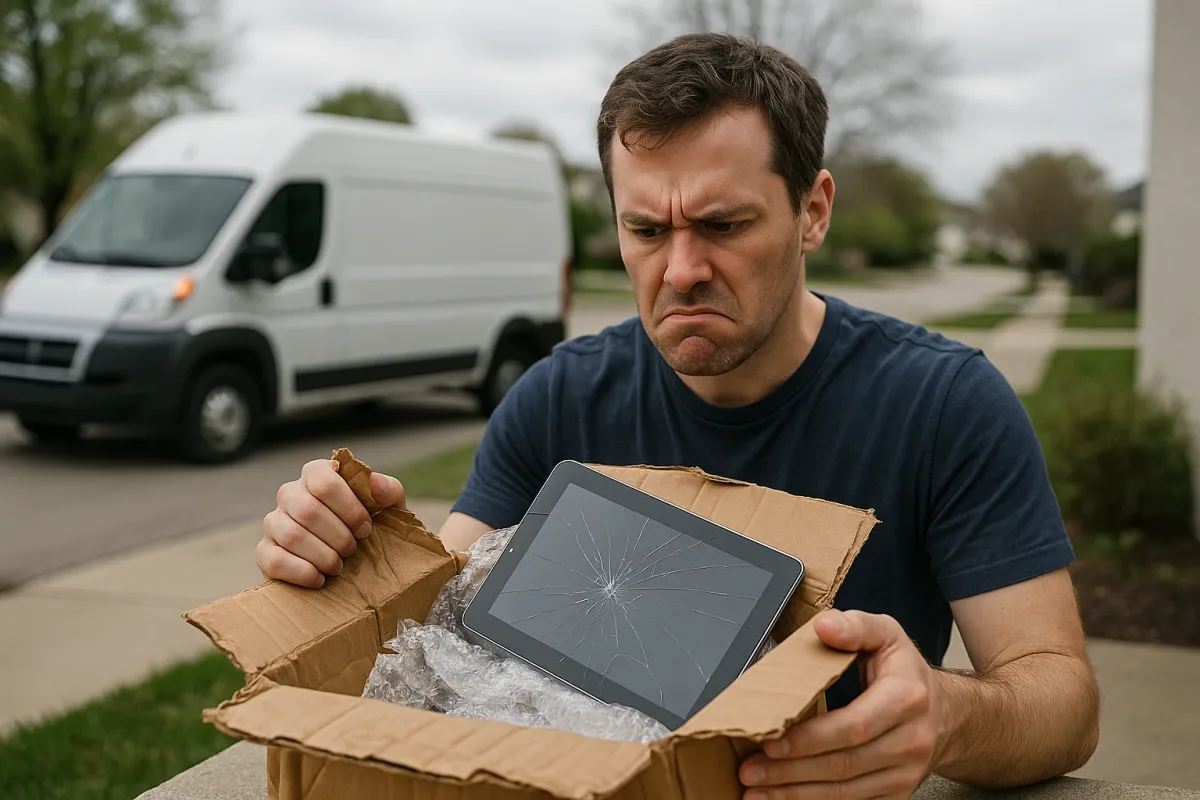
Packages are arriving faster than ever—and not just for us. A recent viral Twitter thread showed pets proudly “collecting” deliveries from the doorstep before their owners even knew they’d arrived. It’s funny when a cat sits on your package; it’s less funny when you open the box and find a cracked screen, bent laptop corner, or headphones that rattle from the trip. With year‑round online shopping and constant courier traffic, more electronics are getting banged up in transit.
Instead of silently accepting “it showed up broken” as bad luck, you can treat delivery day like the first step in repair and prevention. Whether it’s a new phone, a refurbished laptop, or a budget Bluetooth speaker, a few quick checks and simple fixes can save you from weeks of arguing with support or living with a half‑broken device.
Below are five practical, repair‑minded steps you can take as soon as that box lands—whether your dog, your kid, or your courier “collects” it first.
---
1. Do A 2‑Minute “Unboxing Inspection” Before You Toss Any Packaging
Before you let the excitement take over, turn delivery day into a quick diagnostic session.
**Photograph the outer box**
- Take a clear photo of each side of the shipping box before opening. - Capture dents, punctures, crushed corners, or water stains. - These photos are your evidence if you need a refund, replacement, or carrier claim.
**Inspect internal packaging**
- Open the box carefully along the tape—don’t stab deep with a knife near the product. - Check for broken foam, loose accessories, or a device that’s shifted inside. - If the product is loose in the box, take another photo before touching it.
**Look for immediate red flags on the device**
- Run your finger gently around edges and corners for cracks or sharp spots. - Look closely at ports: any bending, misalignment, or cracked plastic around them. - For screens, hold at an angle under a bright light to spot fine cracks or pressure marks.
**Keep every scrap until you’ve tested it**
- Do NOT throw away boxes, foam, or inserts until you know everything works. - Many manufacturers and retailers require original packaging for returns or warranty shipping.
If you catch damage early and have photos, you’re not just “unlucky”—you’re documented. That dramatically increases your chances of a fast replacement instead of a long argument.
---
2. Test Core Functions Immediately (Before You Personalize Anything)
Tech companies and retailers track “time from delivery to complaint.” The longer you wait, the harder it is to prove it arrived damaged. Treat basic testing like a quick repair triage.
**Power and charging check**
- Plug the device into a known‑good outlet and charger. - Confirm it charges without needing you to wiggle the cable. - If the port feels loose or only works at a very specific angle, note it and film a short clip.
**Display and touch response**
- For phones, tablets, and laptops: - Set brightness to max and open a white screen (settings, browser, or notes app). - Look for dark spots, lines, or “puddles” of discoloration—signs of impact. - Swipe slowly across all corners and edges to ensure touch works everywhere.
**Sound test**
- Play a test video or audio track at different volumes. - Listen for rattling, buzzing, or crackling—often caused by impact‑loosened speaker parts. - Test headphone jacks or Bluetooth pairing if present.
**Connectivity check**
- Verify Wi‑Fi connects reliably and keeps a stable signal. - For Bluetooth devices, pair with at least one phone or computer and test range (walk a room or two away).
**Run a quick stress test (safe and simple)**
- Use the device for 10–15 minutes: browsing, watching a video, or installing updates. - Watch for sudden shutdowns, freezing, or overheating—these can be signs of internal board or battery damage from a hard hit in transit.
Do all of this before you migrate data, sign into accounts everywhere, or peel every sticker off. If something’s clearly wrong, it’s much easier to return or exchange a “fresh” device than one loaded with all your information.
---
3. When Something Seems Off: Decide Fast Between DIY Fix, Return, Or Warranty
Not every shipping issue is a death sentence. Some are quick fixes; some should go straight back in the box. Here’s how to decide, step by step.
**Use the 24–48 hour rule**
- If you see any damage or major functional issue within the first two days, assume it’s a **shipping problem**, not “wear and tear.” - Contact the seller or manufacturer immediately and attach the photos you took.
- **Return vs. repair: a simple decision tree**
- **Return/exchange it if:**
- The screen is cracked or shows lines/spots.
- The frame is bent or the device doesn’t sit flat.
- Ports are misaligned, crushed, or wobbly on day one.
- The device reboots randomly or fails basic tests in the first hour.
- **Consider DIY or warranty repair if:**
- Buttons feel sticky or slightly misaligned but still work.
- A speaker grill is slightly dented, but audio is mostly fine.
- A plastic casing panel is loose or squeaks but isn’t cracked.
**Document **symptoms**, not just “it’s broken”**
- Be specific when contacting support: - “Right speaker rattles at 60–80% volume after arrival in dented box.” - “USB‑C port only charges when cable is lifted slightly upward; box corner was crushed.” - Clear, repair‑style descriptions get better results and faster triage.
**For minor issues you want to fix yourself** (and keep the device)
- Sticky or flat buttons: try **compressed air** around the button edges, then a **tiny** bit of isopropyl alcohol (90%+) on a microfiber cloth to clean the gap—never pour liquids directly on the device. - Loose back panel or creaky plastic: add a **thin rubber or foam pad** inside the case (if it’s user‑accessible) to reduce flex and rattling.
**Know when to stop**
- If opening the device will void the warranty and the issue is more than cosmetic, don’t chase a DIY solution. - Use your repair instincts to push the seller or manufacturer instead—broken on arrival is their problem to solve.
---
4. Protect Future Deliveries With Smarter Setup At Home
That viral thread of pets “collecting” packages is cute, but dropped boxes, rain‑soaked parcels, and curious kids can quietly shorten your electronics’ lifespan before you even touch them. You can reduce damage risk by changing how deliveries land at your home.
**Create a dedicated “safe zone” for packages**
- Place a plastic bin or low crate in a **shaded, dry spot** near your door. - Label it clearly: “PACKAGES HERE – FRAGILE ELECTRONICS OFTEN INSIDE.” - This encourages carriers to avoid balancing boxes on railings or tossing them closer to the door.
**Use delivery instructions strategically**
- Most carriers and marketplaces (Amazon, UPS, FedEx, etc.) let you add instructions: - “Place packages in bin by door, do not throw or lean on gate.” - “Avoid leaving heavy boxes on top of smaller ones.” - These aren’t perfect—but over time, regular drivers usually follow them.
**Separate “pet zone” from “package zone”**
- If your dog or cat loves the door area, set up a safe barrier: a baby gate, pen, or a secondary mat further inside where they can’t reach the first contact point. - This reduces knocked‑over boxes, bite marks, and “inspection” scratches that can crack screens through thin packaging.
**Weatherproof the landing area**
- Use a waterproof mat under the package bin to prevent moisture wicking into boxes from below. - In heavy‑rain or winter seasons, a simple **overhead cover** (awning, porch umbrella, or plastic storage tote turned into a “delivery shelter”) can keep cardboard from soaking through and weakening around your gadgets.
**Ask for “signature required” on sensitive electronics when possible**
- For expensive laptops, phones, and cameras, opt for shipping that requires your presence or a pickup from a parcel shop. - This reduces theft risk and eliminates packages sitting in extreme heat or cold, which can damage batteries and displays.
Turning your doorstep into a mini “receiving dock” is a lot cheaper than replacing a cracked OLED or damaged battery.
---
5. Reinforce Vulnerable Gadgets Right After Unboxing
Even if your new device survived shipping, you can treat day one as your chance to make it more repair‑friendly and less likely to crack the next time it’s dropped, bumped, or re‑shipped.
**Add a screen protector before real use**
- Clean the screen with the included wipe or 90%+ isopropyl alcohol and a microfiber cloth. - Install a **tempered‑glass protector** rather than plastic film for phones/tablets—it takes the hit instead of the original glass. - For laptops, consider a thin matte overlay to reduce scratch risk from keyboard and debris.
**Use shock‑absorbing cases, not just pretty ones**
- Choose cases with **reinforced corners** and slightly raised edges around screens and camera bumps. - For portable speakers and handheld gaming devices, look for silicone or rubberized shells—these spread out impact and protect internal solder joints.
**Support weak ports and cables**
- Use right‑angle or magnetic adapters for frequently used ports (charging and headphones), so the daily plug/unplug stress happens on the adapter, not the device’s internal connector. - Add simple **cable strain reliefs** (clip‑on sleeves) at the ends of your most-used cords to prevent fraying.
**Give laptops and tablets a “travel shell”**
- Store them in padded sleeves or hard cases any time they go into a backpack or luggage. - Even at home, keeping them in a sleeve when not in use protects against accidental drops from tables or shelves.
**Set up a basic maintenance schedule from day one**
- Mark a monthly reminder: - Check for loose screws (if visible), bulging batteries, or increased heat. - Clean vents and ports with compressed air to prevent dust buildup that stresses fans and components. - Minor, early interventions are classic repair tactics that extend life and reveal hidden shipping damage before warranties expire.
By reinforcing your gadgets as soon as they arrive, you’re not just protecting an object—you’re cutting down on future repair bills and e‑waste.
---
Conclusion
The spike in online shopping—and the flood of delivery photos and pet “couriers” going viral—means more electronics are living a rough life before they ever reach your hands. But you’re not powerless.
Treat delivery day like the first repair check: inspect the box, document damage, test key functions, make fast decisions about returns vs. fixes, control how packages arrive at your door, and reinforce devices on day one. These simple, solution‑oriented steps turn “another busted delivery” into a rare exception—and keep your electronics working longer, with fewer nasty surprises the next time a box lands on your doorstep.
Key Takeaway
The most important thing to remember from this article is that following these steps can lead to great results.