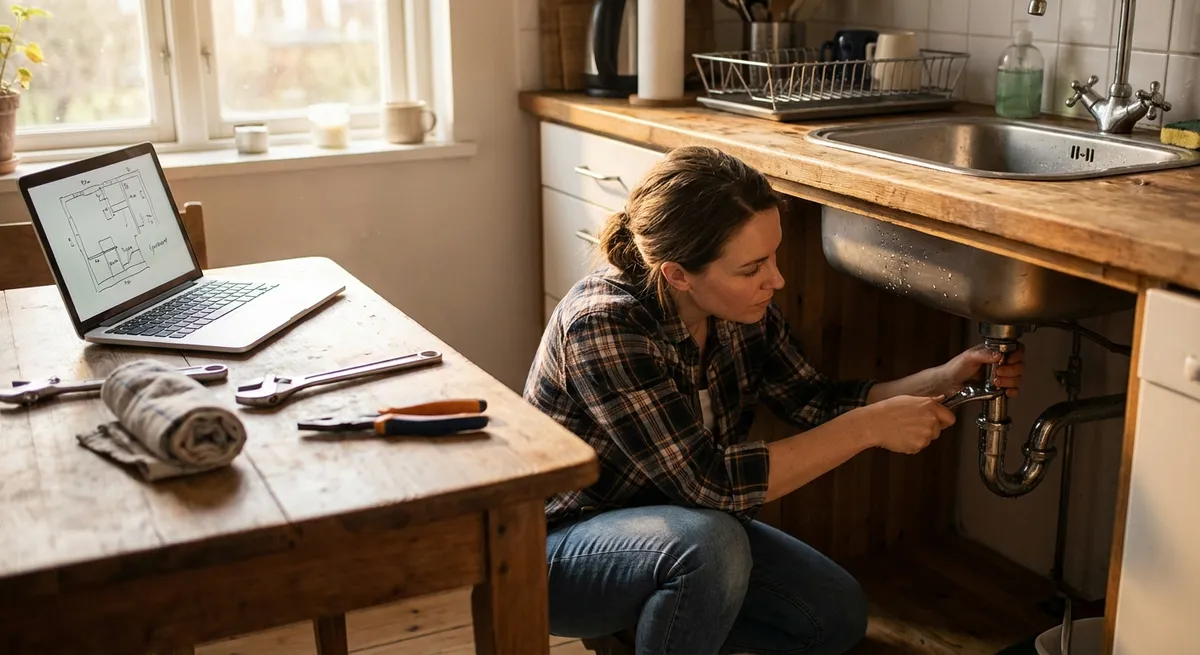
When something breaks at home, the choice is usually: wait for a pro, or just replace it. There’s a third option that often gets ignored—fix it yourself, safely and systematically. This guide walks you through five common problems you can actually solve on your own, with clear steps, simple tools, and zero fluff.
Each solution is broken down so you can follow along even if you’re not “handy.” Screenshot, share, or save the parts you need for later.
---
1. Quiet a Running Toilet That Won’t Stop Filling
A constantly running toilet wastes water and money, but the fix is usually simple and doesn’t require removing the toilet or calling a plumber.
What You’ll Need
- Adjustable wrench or pliers
- Replacement flapper (if needed)
- Towel or sponge
Step‑by‑Step
- **Remove the tank lid and observe.**
Flush the toilet and look inside the tank. You should see:
- A fill valve (usually on the left)
- A rubber flapper at the bottom
- A float (cup style or ball style)
- **Check the water level.**
- If water keeps spilling into the overflow tube, the float is too high.
- **Adjust the float.**
- **Cup-style float (on a vertical shaft):** Turn the small adjustment screw on top of the fill valve clockwise to lower the water level.
- **Ball float (on a metal rod):** Gently bend the rod downward so the ball sits lower, which stops water sooner.
- **Inspect the flapper.**
- Check if the flapper is warped, cracked, or coated in buildup.
- Make sure the chain has a bit of slack but is not tangled or too tight.
- **Replace the flapper if needed.**
- Unhook the old flapper from the overflow tube.
- Clip the new one in the same position.
- Attach the chain so the flapper closes fully when the handle is released.
- **Turn water back on and test.**
After the tank refills, the water should stop about 1 inch (2–3 cm) below the top of the overflow tube.
Turn off the water supply valve (usually behind the toilet near the floor) and flush to empty the tank.
Let the tank refill. Adjust the float again if water still runs into the overflow tube. When quiet, put the lid back on.
---
2. Revive a Dead Power Strip (And Avoid a Fire Hazard)
If half your devices “die” at once, the power strip might be the problem—not all your gear. Before tossing it, follow a quick, safe check.
What You’ll Need
- Non-contact voltage tester (optional but useful)
- Replacement power strip (if unsafe or damaged)
Step‑by‑Step
- **Unplug everything.**
Disconnect all devices from the power strip, then unplug the strip from the wall. This keeps you safe and lets you inspect it properly.
- **Inspect for physical damage.**
Look for:
- Burn marks or melted plastic
- Cracked housing
- Loose or wobbly outlets
- Frayed cord or exposed wires
If you see any of these, do not reuse the strip. Replace it.
- **Check the reset switch or breaker.**
Many strips have a small breaker switch or button.
- Press the reset button firmly.
- If it clicks, that means it tripped earlier.
- **Test the wall outlet.**
- If the device doesn’t power on, the outlet—not the strip—may be the issue.
- Try another outlet to confirm.
- **Test the strip with one low‑power device.**
- Turn the strip on (check the switch and indicator light).
- Plug in a small device like a phone charger.
- If it works and stays on, the strip is likely OK.
- **Avoid overloading going forward.**
- Do not plug high‑wattage devices (space heaters, microwaves, hair dryers) into basic power strips.
- Use surge protectors with built‑in overload protection for sensitive electronics.
Plug a known-working device (like a lamp) directly into the wall outlet the strip was using.
Plug the strip back into a working outlet.
If there’s any burning smell, heat, or repeated tripping, discard the strip and replace it—no DIY repair is worth the fire risk.
---
3. Fix a Door That Won’t Latch Without Slamming
If you have to shoulder‑check a door to close it, the latch and strike plate are slightly out of alignment. Usually, you can fix this without replacing the door or frame.
What You’ll Need
- Phillips screwdriver
- Pencil or masking tape
- Chisel or utility knife (for minor adjustments)
- Hammer (optional)
Step‑by‑Step
- **Identify where it’s sticking.**
Close the door slowly and watch where the latch bolt (the angled piece) hits the strike plate (metal plate on the frame).
- If it hits **above** the hole, the door has sagged.
- If it hits **below** the hole, the frame or hinges have shifted.
- **Tighten the hinge screws.**
- Loose screws are a major cause of sagging doors.
- If a screw just spins and won’t tighten, swap it for a longer screw that can bite into the framing.
- **Test the latch again.**
Open the door. Tighten all screws on the hinges on both the door and the frame.
Try closing the door. If it now latches easily, you’re done. If not, mark the contact point.
- **Mark the misalignment.**
- Rub a bit of lipstick, marker, or chalk on the latch bolt.
- Close the door until it hits the strike plate, then open it.
- The mark on the strike plate shows exactly where the latch is hitting.
- **Adjust the strike plate position.**
If the misalignment is small (1–2 mm):
If you need a bit more movement:
- **Fine‑tune the latch hole.**
If the latch hits the edge of the strike plate opening, you can file or lightly chisel the inside edge of the strike plate hole to widen it slightly. Don’t overdo it—small changes make a big difference.
---
4. Restore Wi‑Fi Speed When Everything Feels Sluggish
Before you blame your ISP or buy a new router, run through a structured reset and optimization. Many “slow Wi‑Fi” problems are fixable in minutes.
What You’ll Need
- Access to your router and modem
- Your router’s login info (often on a label)
- Smartphone or laptop
Step‑by‑Step
- **Power cycle the right way.**
- Unplug the **modem** and **router** from power.
- Wait 30–60 seconds.
- Plug in the modem first, wait until all lights stabilize.
- Then plug in the router and wait 1–2 minutes.
This clears temporary glitches.
- **Check actual speed vs. your plan.**
- Stand near the router and run a speed test (e.g., Speedtest.net or your ISP’s tool).
- Compare results to your subscribed speed.
If speeds are fine near the router but bad in other rooms, it’s a coverage/placement issue—not your internet line.
- **Reposition the router.**
- Place it in a central, elevated spot if possible.
- Avoid burying it in cabinets or placing it next to metal objects, microwaves, or thick concrete walls.
- Point antennas (if any) in different directions (one vertical, one horizontal).
- **Reduce interference.**
- Log in to your router’s admin page (URL and login are usually printed on the router).
- Check if you’re using the 2.4 GHz or 5 GHz band:
- 2.4 GHz = better range, more interference
- 5 GHz = faster, but shorter range
- Rename the 5 GHz network separately (e.g., “HomeWiFi-5G”) and connect high‑bandwidth devices to it.
- **Update router firmware.**
- In the admin interface, look for **“Firmware Update,” “System Update,”** or similar.
- Follow on‑screen instructions to install any updates.
This can fix bugs and security issues that slow you down.
- **Remove freeloaders and limit background use.**
- Change your Wi‑Fi password if you suspect unknown devices.
- Reconnect only your household devices.
- On your devices, pause large downloads, cloud backups, or streaming on non‑essential devices when you need speed.
If speeds are still consistently below your plan even near the router, contact your ISP with your test results; you’ve already done the basic troubleshooting they’ll ask for.
---
5. Unclog a Slow Sink Without Harsh Chemicals
A slow-draining sink usually means buildup in the trap or nearby piping—not a serious plumbing failure. Mechanical cleaning is safer and often more effective than drain chemicals.
What You’ll Need
- Bucket or large bowl
- Old towel
- Adjustable wrench or slip‑joint pliers
- Rubber gloves
- Small brush or bottle brush
Step‑by‑Step
- **Clear the area and protect the cabinet.**
Remove everything from under the sink. Lay down a towel, then place a bucket directly under the curved pipe (the P‑trap).
- **Loosen the trap connections.**
- Put on gloves.
- Use your hand or wrench/pliers to loosen the slip nuts on both sides of the trap (turn counterclockwise).
- Support the trap as you loosen—water will spill into the bucket.
- **Clean the trap thoroughly.**
- Remove the trap and dump its contents into the bucket.
- Use a small brush or bottle brush to scrub out hair, soap scum, and debris.
- Rinse the trap thoroughly in another sink or outside.
- **Check adjacent pipes.**
- Look into the pipe going into the wall and the pipe coming from the sink.
- If you can see buildup near the ends, gently remove it with the brush or a short plastic drain cleaning strip.
- **Reassemble the trap.**
- Reinstall the trap in the same orientation.
- Hand‑tighten the slip nuts first, then give a small additional turn with the wrench if needed—do not overtighten, or you can damage the fittings.
- **Test for leaks and proper drainage.**
- Run water for 30–60 seconds.
- Watch the trap and connections closely for drips.
- If you see leaks, tighten the slip nuts slightly more.
If the sink is still slow after this, the clog may be farther down the line; at that point, consider a drain snake or a plumber. But in many cases, cleaning the trap solves it.
---
Conclusion
DIY fixes don’t have to be complicated or risky. With a basic set of tools and a clear plan, you can:
- Stop wasting water with a running toilet
- Decide whether a power strip is safe to keep or needs replacing
- Get doors to latch without slamming
- Speed up your Wi‑Fi without buying new hardware
- Restore a slow sink using safe, mechanical cleaning
Save this guide, share it with someone who keeps saying “I’m just not handy,” and tackle one small problem at a time. Each successful repair builds confidence—and keeps more money in your pocket.
---
Sources
- [U.S. Environmental Protection Agency – Fix a Leak Week](https://www.epa.gov/watersense/fix-leak-week) – Explains how running toilets and leaks waste water and provides basic troubleshooting tips.
- [Kohler – Troubleshooting Common Toilet Problems](https://support.kohler.com/hc/en-us/articles/360001899593-Troubleshooting-Common-Toilet-Problems) – Official guidance on diagnosing and fixing typical toilet issues like running tanks and faulty flappers.
- [Federal Emergency Management Agency (Ready.gov) – Electrical Safety](https://www.ready.gov/power-outages) – Covers safe use of electrical equipment, including extension cords and power strips, and how to avoid overload hazards.
- [Federal Communications Commission – Broadband Speed Guide](https://www.fcc.gov/consumers/guides/broadband-speed-guide) – Helps you understand internet speed requirements and what to expect from your service when troubleshooting Wi‑Fi issues.
- [University of Kentucky Cooperative Extension – Household Plumbing: Faucets and Drains](https://www.uky.edu/Ag/Agcomm/ pubs/ho/ho89/ho89.pdf) – Educational publication with practical explanations of sink traps, clogs, and basic plumbing maintenance.
Key Takeaway
The most important thing to remember from this article is that this information can change how you think about DIY Solutions.