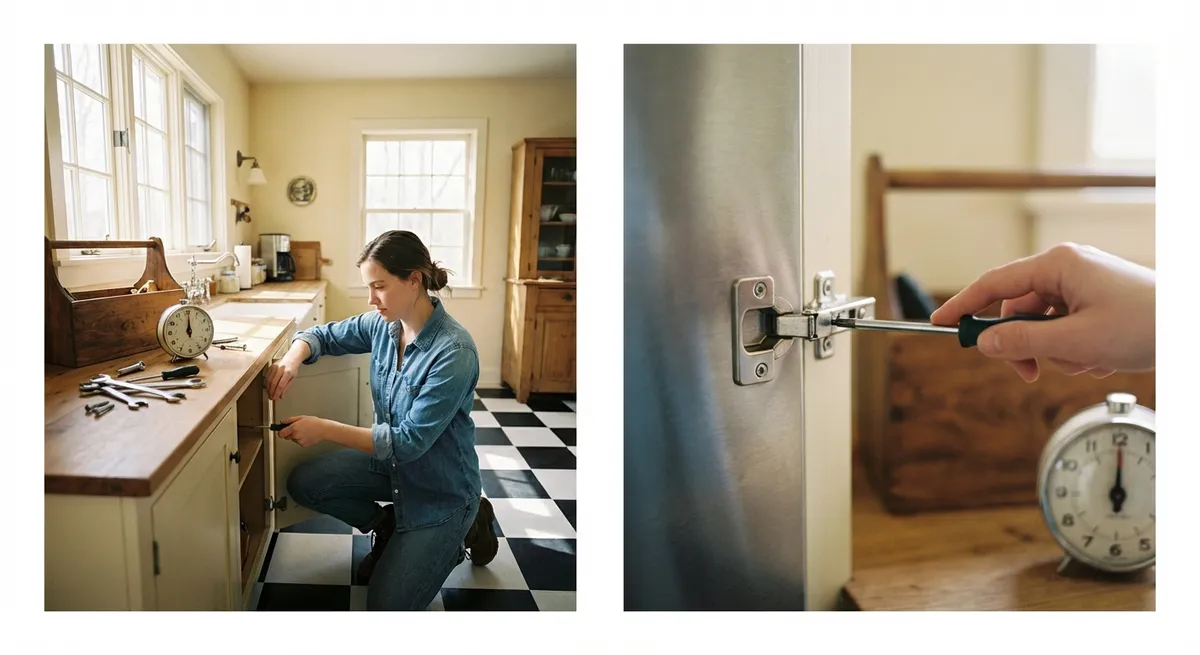
When something breaks or stops working, the instinct is often to panic, call a pro, or just live with the annoyance. But a lot of common problems around the home can be fixed quickly with what you already have on hand. This guide walks you through five practical, step‑by‑step solutions you can do in minutes—no special skills or fancy tools required.
---
1. Revive a Phone That Won’t Charge
When your phone refuses to charge, it’s often a simple physical issue—not a dead battery.
Step-by-step
**Check the outlet first**
- Plug in a lamp or another device to confirm the outlet works. - If it doesn’t, try a different outlet or reset the power strip.
**Inspect the charging cable and adapter**
- Look for kinks, exposed wires, or bent metal tips. - Try a different cable and adapter if you have them to isolate the problem.
**Clean the charging port (carefully)**
- Power off your phone. - Use a wooden toothpick or a plastic SIM tool (never metal) to gently loosen lint and dust. - Hold the phone port facing down and tap lightly so debris can fall out. - Avoid compressed air cans directly in the port—they can introduce moisture.
**Check for a loose connection**
- Plug the cable in and gently wiggle near the connector. - If charging cuts in and out, the port or cable is likely worn; use a different cable and avoid moving the phone while charging.
**Restart and test**
- Turn the phone completely off, wait 30 seconds, then turn it back on plugged in. - If it still won’t charge with known‑good cable/adapter/outlet, it’s time to seek professional repair.
---
2. Stop a Running Toilet Without Calling a Plumber
A constantly running toilet wastes water and money, but most fixes take just a few minutes inside the tank.
Step-by-step
**Remove the tank lid and observe**
- Gently lift the lid and set it on a towel. - Flush once and watch what happens: is water constantly flowing into the bowl or tank?
**Check the flapper seal**
- The rubber flapper at the bottom covers the flush valve. - If it’s not seating properly or looks warped, water will leak and the toilet will keep running. - Press the flapper down with a stick or spoon handle—if the running stops, the flapper is the issue.
**Adjust or reattach the chain**
- The chain between the flush handle and flapper should have a bit of slack. - If it’s too tight, the flapper can’t seal. Move the hook to a different link so the flapper closes fully after flushing. - If the chain is tangled or caught under the flapper, straighten it out.
**Set the water level correctly**
- Look for a marked “water line” inside the tank or about 1 inch below the top of the overflow tube. - For float‑cup valves: Turn the plastic screw on the float arm clockwise to lower the water level or counterclockwise to raise it. - For float balls: Gently bend the metal arm downward to lower the water level.
**Clean mineral buildup (if visible)**
- If the flapper seal looks crusty with mineral deposits, turn off the water supply valve behind the toilet, flush to drain, then gently scrub the seal with a sponge or old toothbrush. - Turn water back on and test. If it still leaks, plan to replace the flapper—an inexpensive part you can swap in a few minutes.
---
3. Quiet a Squeaky Door Hinge Fast
That squeak every time you open a door is more than annoying—it’s usually just a dry hinge that needs lubrication.
Step-by-step
**Identify the noisy hinge**
- Open and close the door slowly and listen for which hinge is squeaking. - Often it’s the middle hinge, but check all of them.
**Support the door if needed**
- If it’s a heavy door and hinges are loose, slide a wedge or folded cardboard under the door edge for support.
**Tighten loose screws**
- Use the correct screwdriver (usually Phillips) to snug up all hinge screws. - Don’t overtighten—just firm enough so the hinge doesn’t move.
**Apply a household lubricant**
- Ideal: silicone spray or a dedicated hinge lubricant. - In a pinch: a tiny amount of petroleum jelly or a drop of vegetable oil on the hinge pin. - Avoid WD‑40 as a long‑term fix—it cleans but doesn’t lubricate well over time.
**Work the lubricant in**
- Open and close the door 10–15 times to distribute lubricant through the hinge. - Wipe away any drips or excess to prevent staining or attracting dust.
**Check for persistent noise**
- If the squeak remains, you may need to tap the hinge pin out slightly with a small hammer and nail, coat it lightly with lubricant, then reinsert it. - Test again; if the door still squeaks or binds, the hinge may be bent and require replacement.
---
4. Restore a Slow, Freezing Laptop Without New Hardware
When your laptop slows to a crawl, you can often recover performance just by clearing space and cutting background tasks.
Step-by-step
**Restart properly**
- Save your work and perform a full restart (not just closing the lid). - This clears temporary files and stops stuck background processes.
**Close unnecessary startup apps**
- On Windows: Press `Ctrl + Shift + Esc` → “Task Manager” → “Startup” tab → Disable apps you don’t need launching automatically (messengers, music apps, etc.). - On macOS: Go to System Settings → General → Login Items → Remove apps you don’t want starting up.
**Clear temporary storage**
- On Windows: Settings → System → Storage → “Temporary files” → Remove junk files. - On macOS: Apple menu → About This Mac → Storage → Manage → Review and delete large/unneeded files.
**Free up RAM by closing resource hogs**
- Open Task Manager (Windows) or Activity Monitor (Mac). - Sort by CPU or Memory usage. - Close browser tabs or apps using a large share of resources, especially if they’re idle.
**Update your system and key apps**
- Run operating system updates to get performance and security fixes. - Update your browser and office suite; older versions can be slower and less stable.
**Check for overheating**
- Place the laptop on a hard, flat surface so air vents aren’t blocked. - If the fan is constantly loud and the bottom is hot, shut down for 10–15 minutes and let it cool. - Avoid using laptops on beds or soft surfaces that trap heat.
If performance is still poor after these steps, consider a deeper cleanup, malware scan, or a hardware upgrade (like an SSD), but these quick actions will often make an immediate difference.
---
5. Fix a Flickering Light That’s Driving You Crazy
A flickering light doesn’t always mean faulty wiring; in many cases it’s a loose bulb, a bad switch, or the wrong type of bulb.
Step-by-step
**Turn off the light**
- Switch it off and, if it’s been on for a while, let the bulb cool for a minute to avoid burns.
**Tighten or reseat the bulb**
- Gently turn the bulb clockwise until snug—don’t overtighten. - If it still flickers, remove it and make sure the base is clean and not corroded.
**Try a different bulb**
- Swap in a new bulb of the correct wattage and type (LED, CFL, incandescent) for the fixture. - Avoid using a higher wattage than the fixture rating—it can cause overheating and damage.
**Check dimmer compatibility**
- If the light is on a dimmer switch, ensure you’re using a dimmable bulb labeled compatible with dimmers. - Non‑dimmable LEDs often flicker or buzz on dimmers.
**Inspect the switch**
- Turn off power at the breaker if you will touch wiring or remove the switch plate. - If wiggling the switch (with power on) changes the flicker, the switch may be worn and need replacement by a qualified person. - Burn marks, cracking, or a hot switch plate are red flags—leave the power off and call an electrician.
If flickering affects multiple lights or circuits, or if the breaker keeps tripping, stop troubleshooting and contact a licensed electrician—those signs can point to a more serious electrical issue.
---
Conclusion
Quick fixes don’t have to be complicated. With a bit of observation, a few simple tools, and a calm, step‑by‑step approach, you can solve a surprising number of everyday problems yourself. The more of these small repairs you handle, the less you’ll depend on emergency calls—and the more confidence you’ll build tackling the next issue that pops up.
---
Sources
- [U.S. Department of Energy – Lighting Choices](https://www.energy.gov/energysaver/lighting-choices-save-you-money) - Guidance on bulb types, efficiency, and basic lighting safety considerations
- [EPA WaterSense – Fix a Leak](https://www.epa.gov/watersense/fix-leak-week) - Information on common household leaks, including toilets, and why fixing them matters
- [Apple – If your iPhone or iPad won’t charge](https://support.apple.com/en-us/HT201412) - Official troubleshooting steps for charging problems on Apple devices
- [Microsoft – Improve PC performance in Windows](https://support.microsoft.com/en-us/windows/improve-pc-performance-in-windows-10-c1c5832c-b6d9-49d2-b2fc-4f9a5b68c1a3) - Practical tips for speeding up slow Windows systems
- [Consumer Product Safety Commission – Electrical Safety](https://www.cpsc.gov/Safety-Education/Safety-Guides/Home-Electrical) - Safety guidance for dealing with home electrical issues and when to call a professional
Key Takeaway
The most important thing to remember from this article is that this information can change how you think about Quick Fixes.



