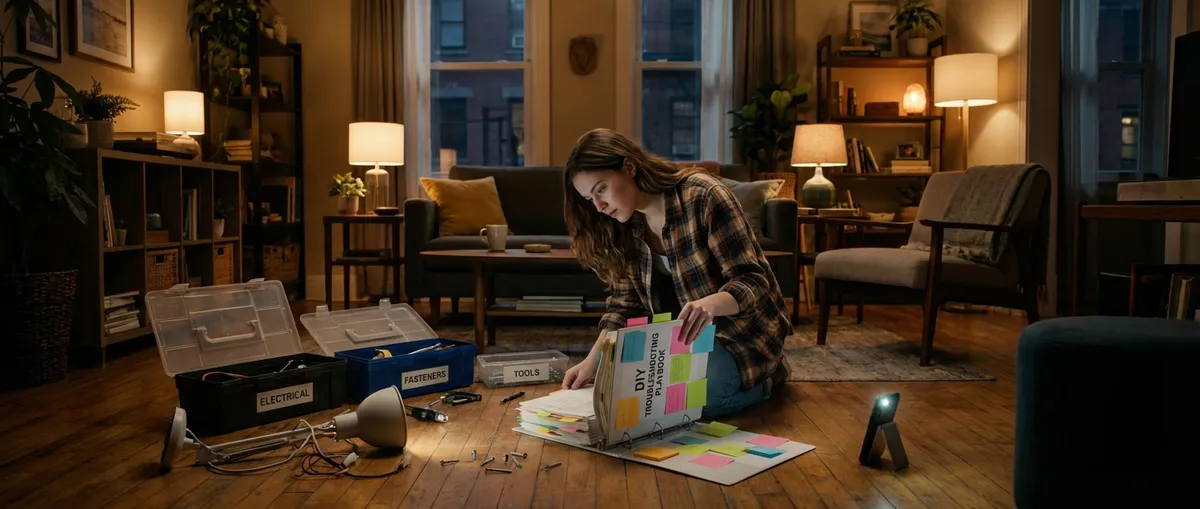
Small problems around the house or with your gadgets stack up fast—sticky doors, slow Wi‑Fi, mystery leaks, and outlets that suddenly stop working. You don’t always need a pro or a new product; often you just need the right steps and a bit of patience. This guide walks you through five extremely common problems with clear, safe, DIY solutions that you can tackle today.
---
Streak‑Free Windows and Mirrors: Fix Cloudy Glass for Good
Foggy, streaky glass usually isn’t dirt—it’s residue from the wrong cleaners or dirty tools. Here’s how to reset and keep your glass crystal clear.
What You’ll Need
- Spray bottle
- Distilled white vinegar
- Water
- Microfiber cloths (or lint‑free cotton)
- Old newspaper (optional)
Step‑By‑Step
**Mix a simple cleaner**
- Add **1 part white vinegar to 1 part water** in a spray bottle. - For very dirty glass, start with full‑strength vinegar.
**Pre‑clean the surface**
- Wipe off dust, cobwebs, and loose dirt with a dry microfiber cloth. - This prevents grinding grit into the glass and creating new streaks.
**Apply cleaner correctly**
- Lightly **mist the cloth**, not the glass, to prevent drips. - For large windows, spray the glass and work in sections.
**Wipe using a pattern**
- For windows: wipe the **inside horizontally** and the **outside vertically**. - If you see streaks later, you’ll instantly know which side needs more work.
**Buff to a shine**
- Use a clean, dry cloth (or newspaper) to buff the glass. - Work quickly; streaks form when cleaner dries unevenly.
**Prevent future haze**
- Avoid fabric softener on cleaning rags—it leaves residue. - Don’t mix vinegar with bleach or ammonia cleaners; keep them separate and safe.
---
Quiet a Squeaky Door: Lubricate Hinges the Right Way
A squeaky door isn’t just annoying—it’s a sign of friction and wear. Lubricating hinges properly can silence the noise and extend their life.
What You’ll Need
- Paper towels or rags
- Small flathead screwdriver (optional)
- Silicone spray, dry lubricant, or white lithium grease
- Mild dish soap and water (for dirty hinges)
Step‑By‑Step
**Protect the floor first**
- Place paper towels or an old rag under the hinge area. - This catches drips and protects flooring or carpet.
**Clean visible dirt**
- Wipe the hinge with a damp, soapy cloth to remove dust and grime. - Dry thoroughly—lubricant sticks better to a clean, dry surface.
**Test a quick surface fix**
- Spray a **small** amount of silicone or dry lubricant directly on the hinge joint. - Open and close the door 10–15 times to work it in. - If squeak persists, move to the next step.
**Remove the hinge pin (if accessible)**
- Close the door. - Insert a flathead screwdriver under the bottom lip of the hinge pin and tap gently upward if needed. - Pull the pin out carefully; note its orientation.
**Lubricate the pin and hinge barrel**
- Wipe off old grease or rust. - Apply a thin coat of lubricant to the pin and inside the hinge barrel. - Avoid cooking oils—they gum up and attract dirt.
**Reassemble and test**
- Reinsert the pin and tap gently until fully seated. - Open and close the door multiple times. - If the squeak remains, repeat for the other hinges on the same door.
**Know when not to DIY**
- If the hinge is cracked, bent, or pulling out of the frame, you may need replacement hardware or a pro to assess structural issues.
---
Restore Weak Wi‑Fi: Simple Fixes for Sluggish Home Internet
Slow or spotty Wi‑Fi is often a placement or interference issue, not a “buy a new router” emergency. Work through these steps before spending money.
What You’ll Need
- Access to your router and modem
- Your Wi‑Fi network name and password
- Smartphone or laptop
- Optional: free Wi‑Fi analyzer app (for Android) or built‑in tools on laptops
Step‑By‑Step
**Reboot the basics in the right order**
- Unplug the **modem** and **router** from power. - Wait **30–60 seconds**. - Plug in the modem first and wait until all normal lights stabilize. - Then plug in the router. - Test your connection after 2–3 minutes.
**Check where your router lives**
- Place the router in a **central, elevated, open** location. - Avoid tucking it in cabinets, behind TVs, or on the floor. - Keep it away from microwaves, cordless phones, and thick walls when possible.
**Switch to a better band**
- Log into your Wi‑Fi and see if you have **2.4 GHz** and **5 GHz** networks. - Use **5 GHz** if you’re near the router (faster, less interference). - Use **2.4 GHz** for longer range or through more walls.
**Reduce device congestion**
- Disconnect unused smart devices, old phones, or tablets that are always online. - Pause streaming or large downloads on one device and see if others improve.
**Change the Wi‑Fi channel (advanced but doable)**
- Log in to your router’s admin page (usually printed on a label on the router). - Use a Wi‑Fi analyzer app or your laptop tools to see which channels are crowded. - Switch your 2.4 GHz network to channels **1, 6, or 11**, picking the least congested. - Save and reboot the router.
**Run a speed test where you actually use Wi‑Fi**
- Stand or sit where you normally use your device. - Run a speed test (search “internet speed test” in your browser). - Compare results when near the router vs. far away to identify dead zones.
**Know when to call your ISP**
- If wired (Ethernet) speeds are also low compared to your plan, contact your provider. - If wired speeds are fine but Wi‑Fi is poor everywhere, your router might truly be outdated.
---
Clear a Slow‑Draining Sink: Unclog Without Harsh Chemicals
Standing water in a sink or shower is usually caused by buildup—hair, soap scum, grease—not a catastrophic plumbing failure. Tackle it in stages, from gentlest to strongest.
What You’ll Need
- Rubber gloves
- Old toothbrush or small nylon brush
- Bucket or bowl
- Plunger (sink‑specific, not toilet)
- Baking soda and white vinegar (optional)
- Drain snake or plastic clog remover strip
Step‑By‑Step
**Remove and clean the stopper or strainer**
- Pull out the sink stopper or unscrew the drain strainer. - Clean off hair and debris with gloves and an old brush. - Flush with hot water and reinstall temporarily.
**Try the plunger method**
- Fill the sink with enough water to cover the drain by an inch or two. - Block any overflow hole with a damp cloth. - Position the plunger over the drain, forming a seal. - Plunge firmly 10–15 times, then quickly pull up. - Test drainage. Repeat once or twice if it improves but isn’t perfect.
**Use a drain snake or plastic strip**
- Remove the stopper/strainer again. - Gently feed the snake or strip into the drain. - Rotate or move up and down to catch hair and gunk. - Pull out debris and discard in the trash (never back down the drain). - Flush with hot water.
**Use a mild baking soda/vinegar flush (optional)**
- Pour about **½ cup baking soda** into the drain. - Follow with **½–1 cup white vinegar**. - Let it fizz for 10–15 minutes. - Flush with a kettle of hot (not boiling on PVC pipes) water. - This helps with buildup but won’t fix severe clogs.
**Check the P‑trap (if you’re comfortable)**
- Place a bucket under the curved pipe under the sink. - Unscrew the slip nuts by hand or with adjustable pliers. - Remove the trap and clear debris. - Reassemble carefully and check for leaks after running water.
**Stop future clogs before they start**
- Use drain screens in kitchen and bathroom sinks. - Keep grease and coffee grounds out of kitchen drains. - Run hot water after heavily soapy or greasy use.
**Stop and call a pro if…**
- Multiple fixtures are backing up at once (could be a main line issue). - You smell sewage, or water backs up in a tub when using the sink.
---
Revive a Dead Outlet: Simple Checks Before Calling an Electrician
When an outlet or small appliance suddenly stops working, the cause is often a tripped breaker or GFCI outlet—not a full wiring failure. Work carefully and never guess when it comes to electricity.
Safety First
If you see scorch marks, smell burning, or hear buzzing from an outlet, do not use it. Turn off the breaker for that circuit and call a licensed electrician.
What You’ll Need
- Small lamp, phone charger, or outlet tester
- Access to your home’s breaker panel
- Flashlight (just in case)
Step‑By‑Step
**Confirm the outlet is actually dead**
- Plug a known working lamp or charger into the outlet. - If it doesn’t work, test the same device in another outlet you know is good. - This ensures you’re not chasing a bad lamp or cord.
**Check nearby GFCI outlets**
- Look for outlets with **“TEST” and “RESET”** buttons (common in kitchens, bathrooms, garages, basements). - Press **RESET** firmly until it clicks. - Re‑test your outlet. Some regular outlets are wired through a GFCI in another part of the room.
**Inspect your breaker panel**
- Open the panel door and look for any breakers in the middle or “tripped” position. - To reset: - Push the breaker fully to the **OFF** position. - Then flip it back to **ON**. - Test the outlet again.
**Check for a pattern**
- See if multiple outlets or lights on the same wall or room don’t work. - This helps identify if a whole circuit, not just one outlet, is affected.
**Avoid overloading circuits**
- If the breaker repeatedly trips after plugging in a high‑wattage appliance (space heater, hair dryer, microwave), you may be overloading that circuit. - Spread high‑demand devices across different outlets/circuits when possible.
**Know when to stop DIY**
- If breakers won’t reset, or reset but trip immediately with almost no load. - If half a room is out and you can’t locate a tripped breaker or GFCI. - If you’re tempted to open up the outlet box but aren’t trained—at that point, it’s time for a pro.
---
Conclusion
Most daily problems—noisy doors, grimy glass, slow drains, weak Wi‑Fi, or “dead” outlets—have straightforward, step‑by‑step fixes you can handle with basic tools and a calm approach. The key is to work in a logical order: start with the simplest, safest explanation, test after each step, and stop when a problem moves beyond basic troubleshooting.
When you understand the why behind each solution, you’re not just fixing one issue—you’re building a personal playbook you’ll reuse every time something goes wrong. That’s how you keep your home and gadgets running smoothly without wasting money, time, or energy.
---
Sources
- [U.S. Department of Energy – Home Wi‑Fi Optimization Tips](https://www.energy.gov/energysaver/articles/tips-getting-stronger-wi-fi-signal-home) – Practical guidance on router placement and interference reduction
- [Consumer Product Safety Commission – Outlet and Electrical Safety](https://www.cpsc.gov/Safety-Education/Safety-Guides/electrical) – Official safety recommendations for handling outlets, breakers, and electrical issues
- [Mayo Clinic – Household Chemical Safety](https://www.mayoclinic.org/healthy-lifestyle/adult-health/in-depth/household-chemicals/art-20046478) – Important information on safe use and mixing of common household cleaners
- [University of Florida IFAS Extension – Drain Maintenance and Clogs](https://edis.ifas.ufl.edu/publication/HE819) – Educational overview of causes and prevention of household drain clogs
- [This Old House – How to Fix a Squeaky Door](https://www.thisoldhouse.com/doors/21017631/how-to-fix-a-squeaky-door) – Step‑by‑step reference for properly lubricating door hinges
Key Takeaway
The most important thing to remember from this article is that this information can change how you think about DIY Solutions.